Dunn Digital software · Windows

See what is slowing your PC down. Take back control.

Pro Performance Optimizer combines approachable one-click cleanup with live system visibility. Start free, then move to Expert when you want deeper automation and control.

Windows 10 and 11 Free edition available Built by Dunn Digital
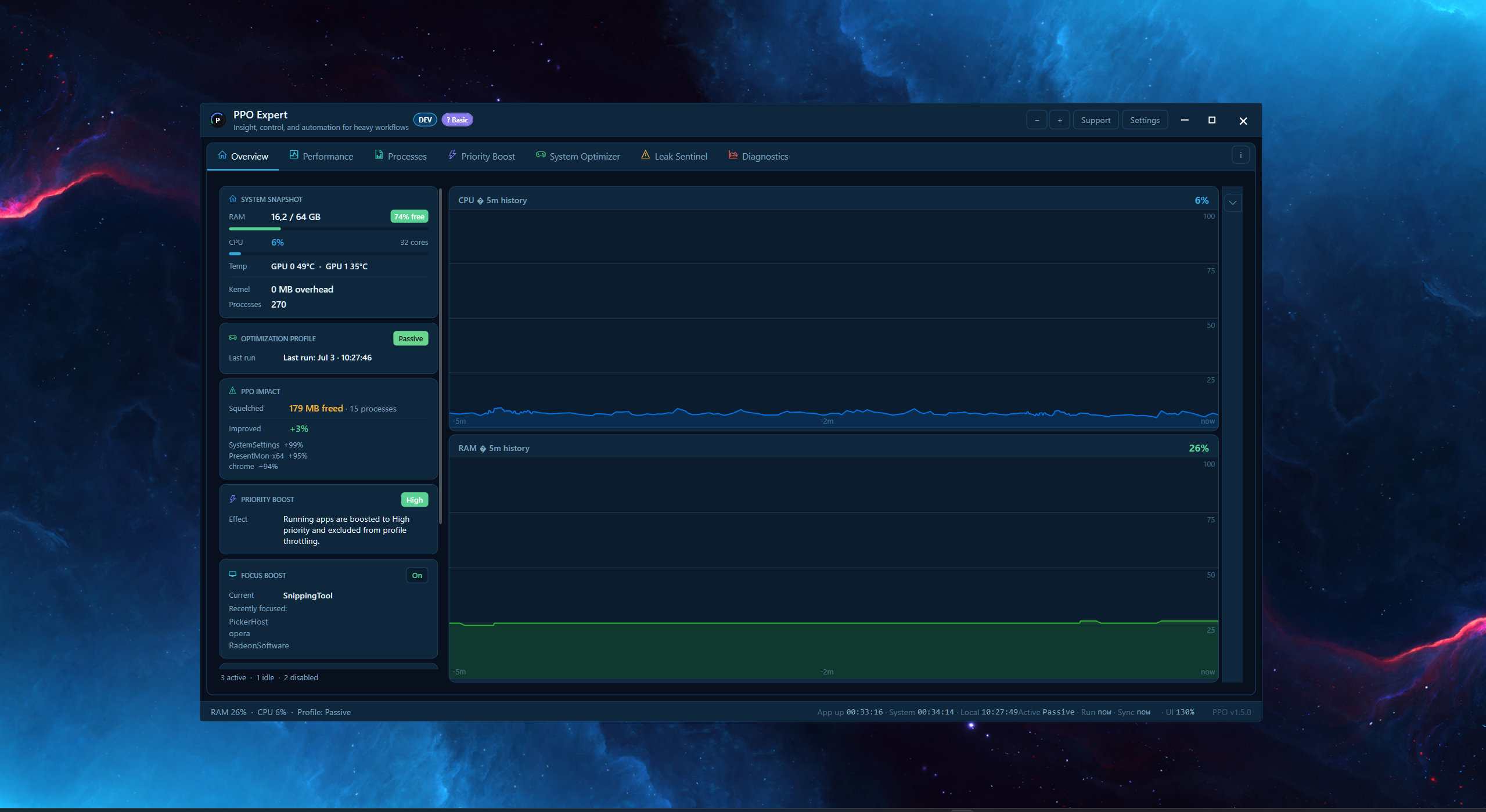
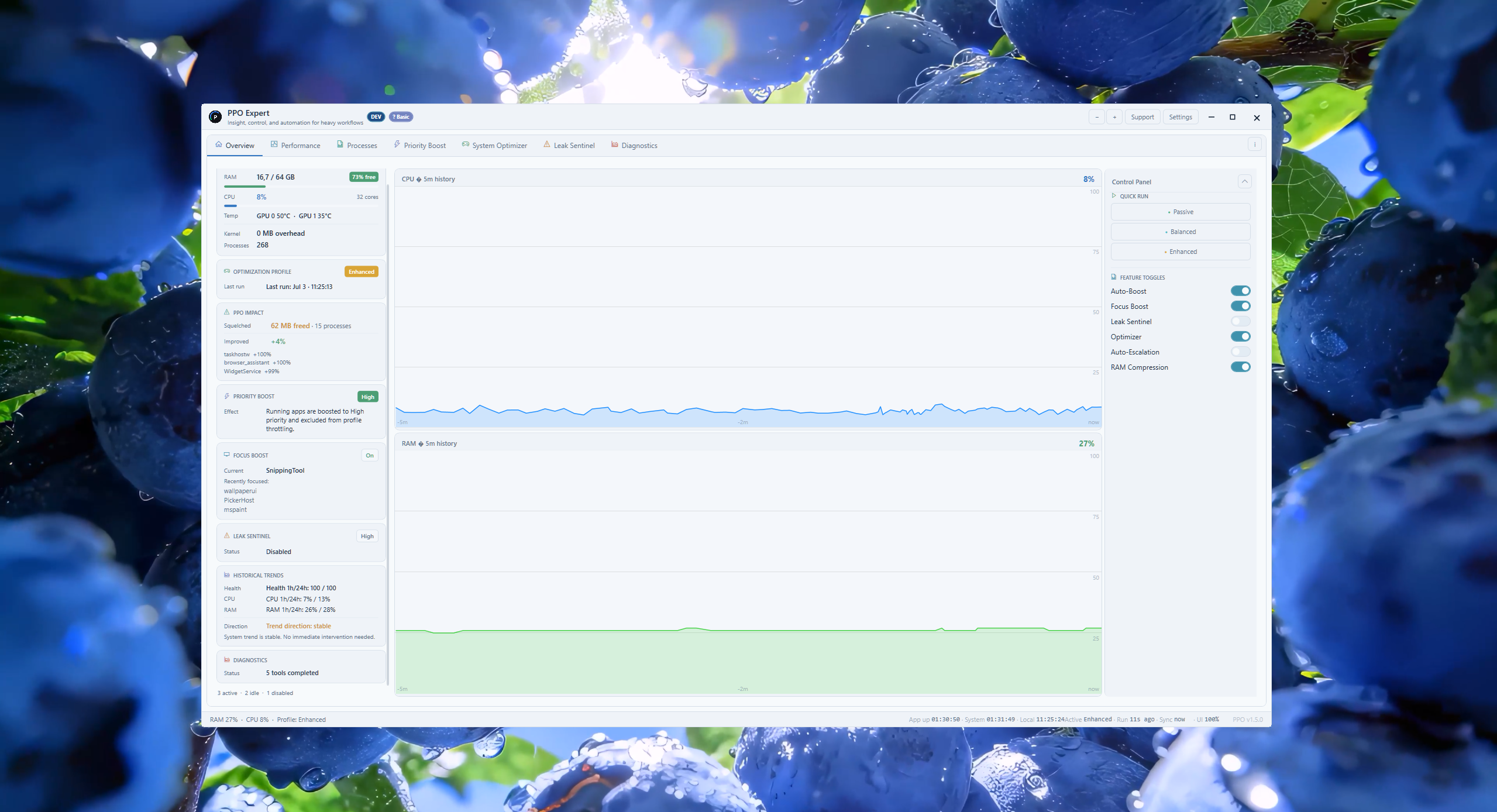
PPO Expert PPO Expert overview showing system health, optimization controls, and performance history Live system visibilityCPU, memory, storage, network, and process insight

Choose Your Edition

Start simple or unlock the full workspace

Latest stable: v1.5.2

FreeNo key required

PPO

One-click optimization and clear health information for everyday Windows sessions.

  • CPU and RAM health
  • Three optimization profiles
  • Hush process controls
Explore Free
ExpertLicensed edition

PPO Expert

The complete monitoring, diagnostics, automation, and optimization workspace.

  • Live hardware timelines
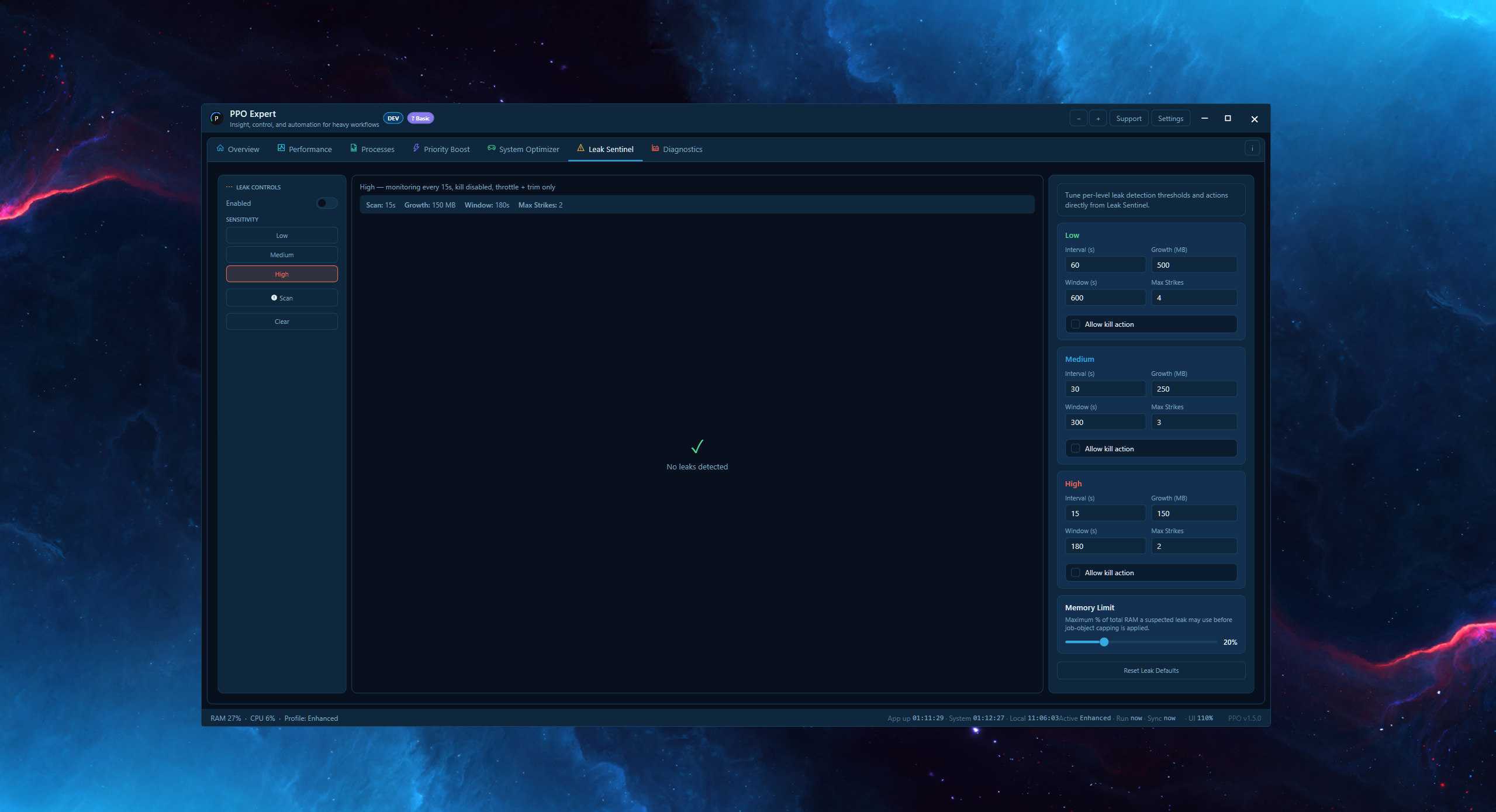
  • Priority Boost and Leak Sentinel
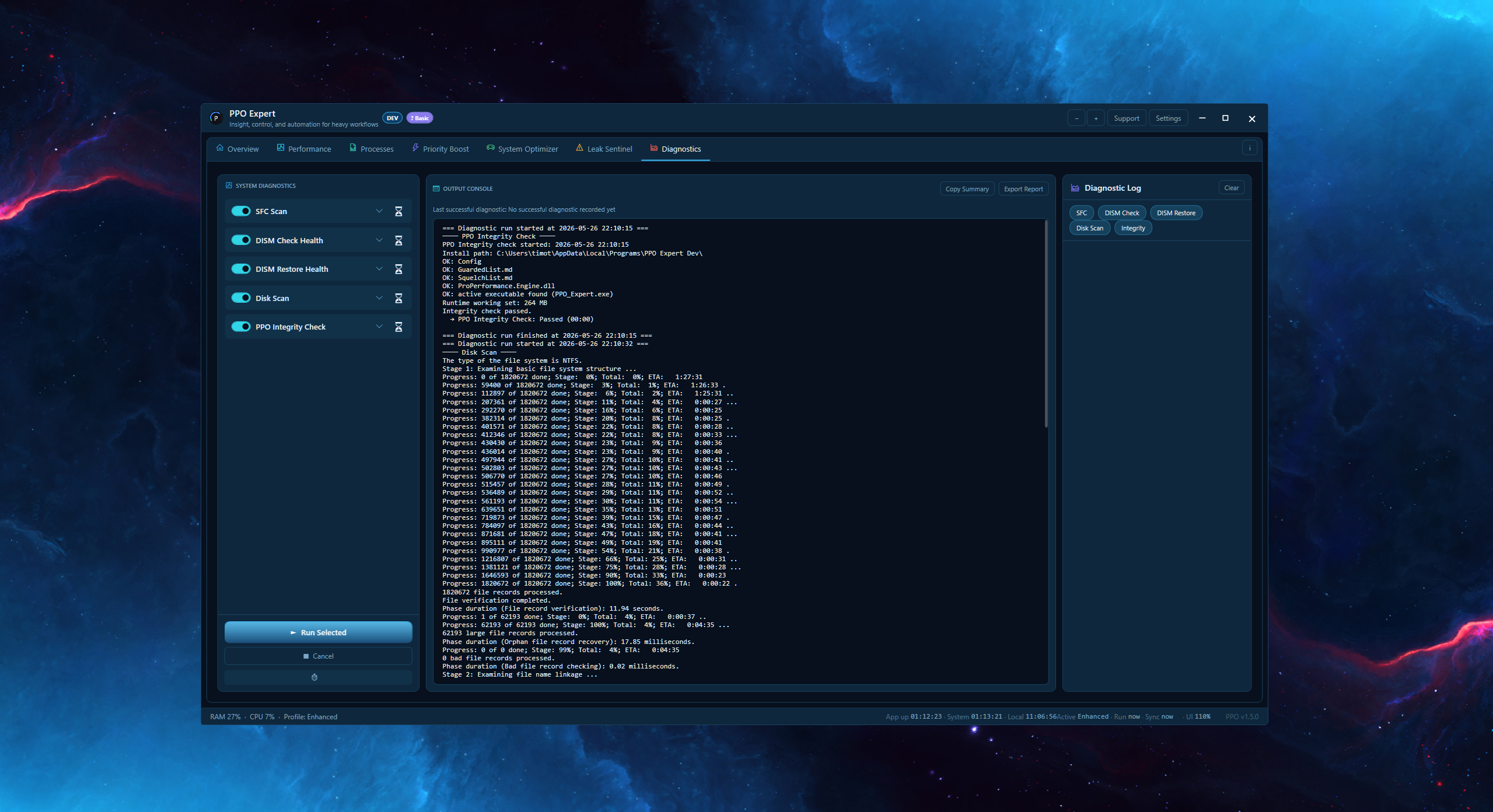
  • Advanced diagnostics and history
Explore Expert
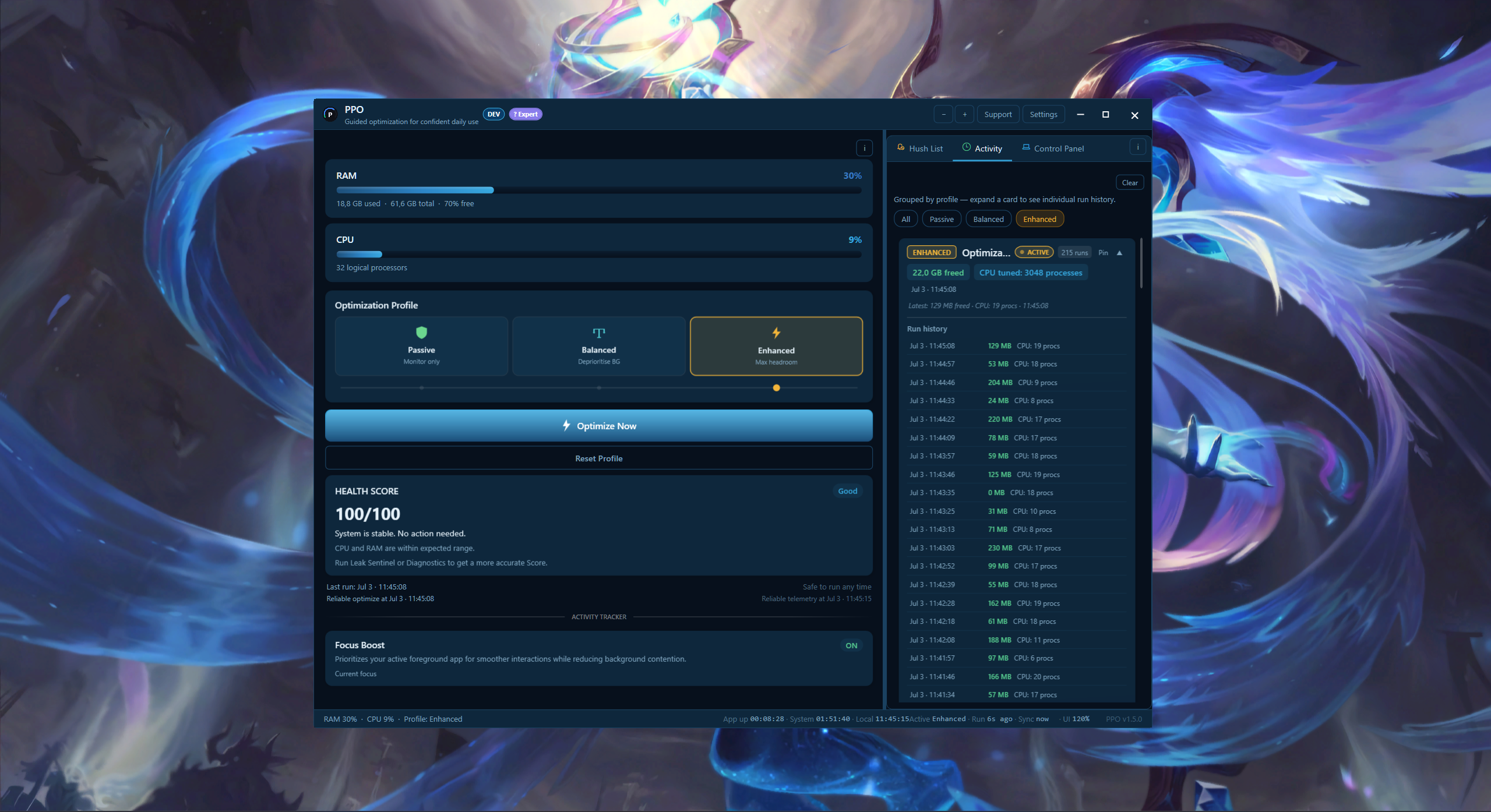
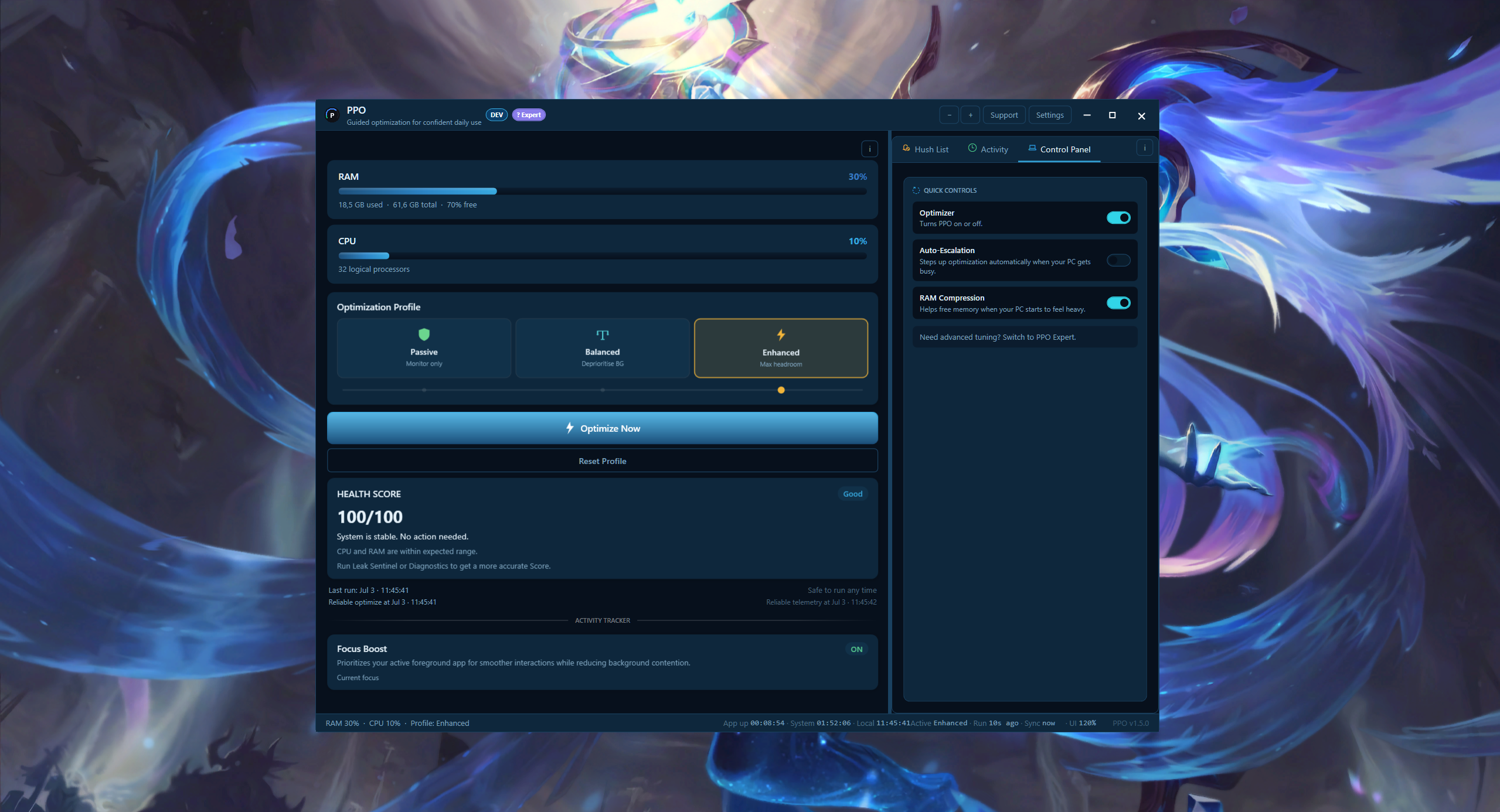
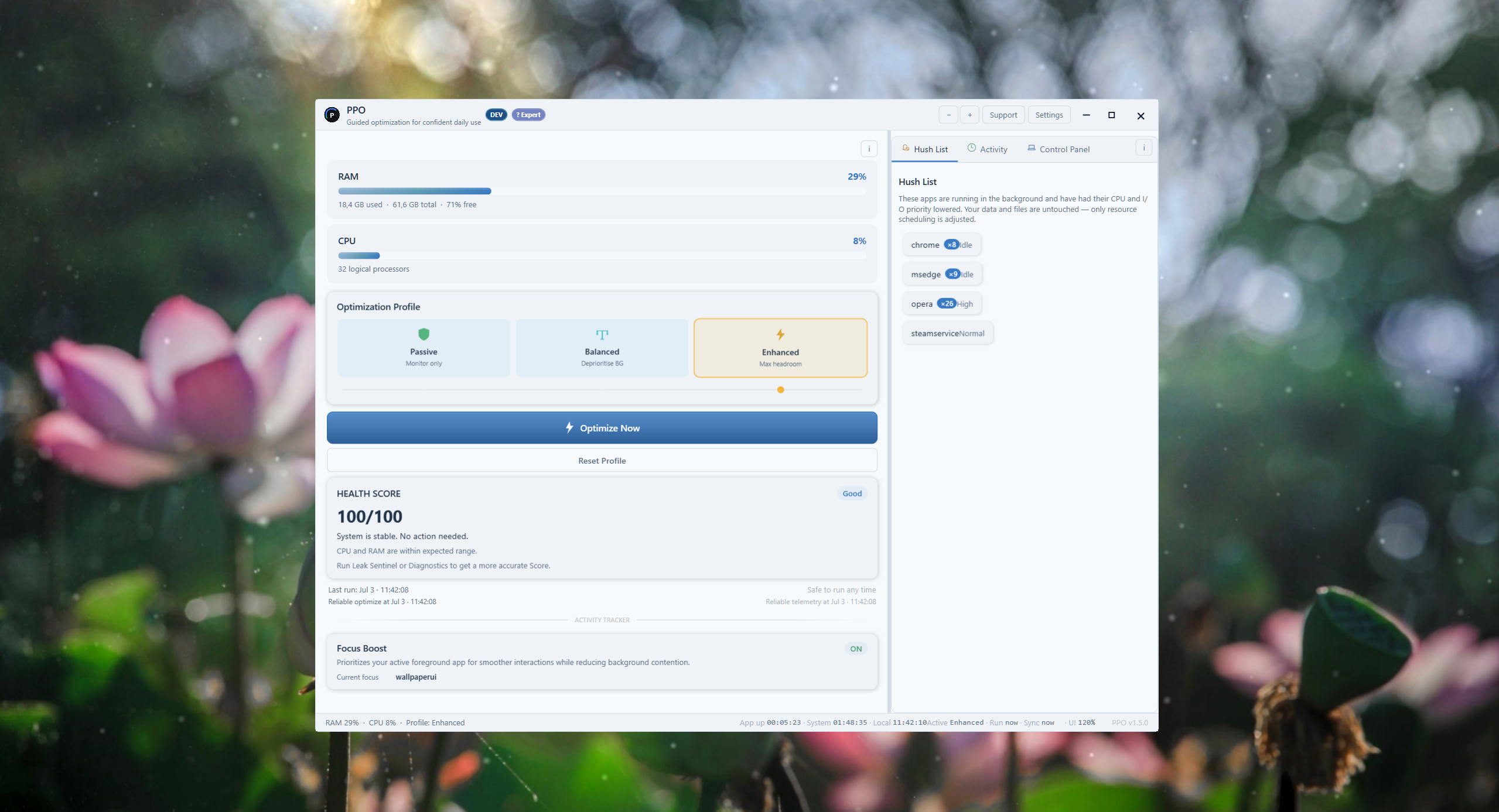
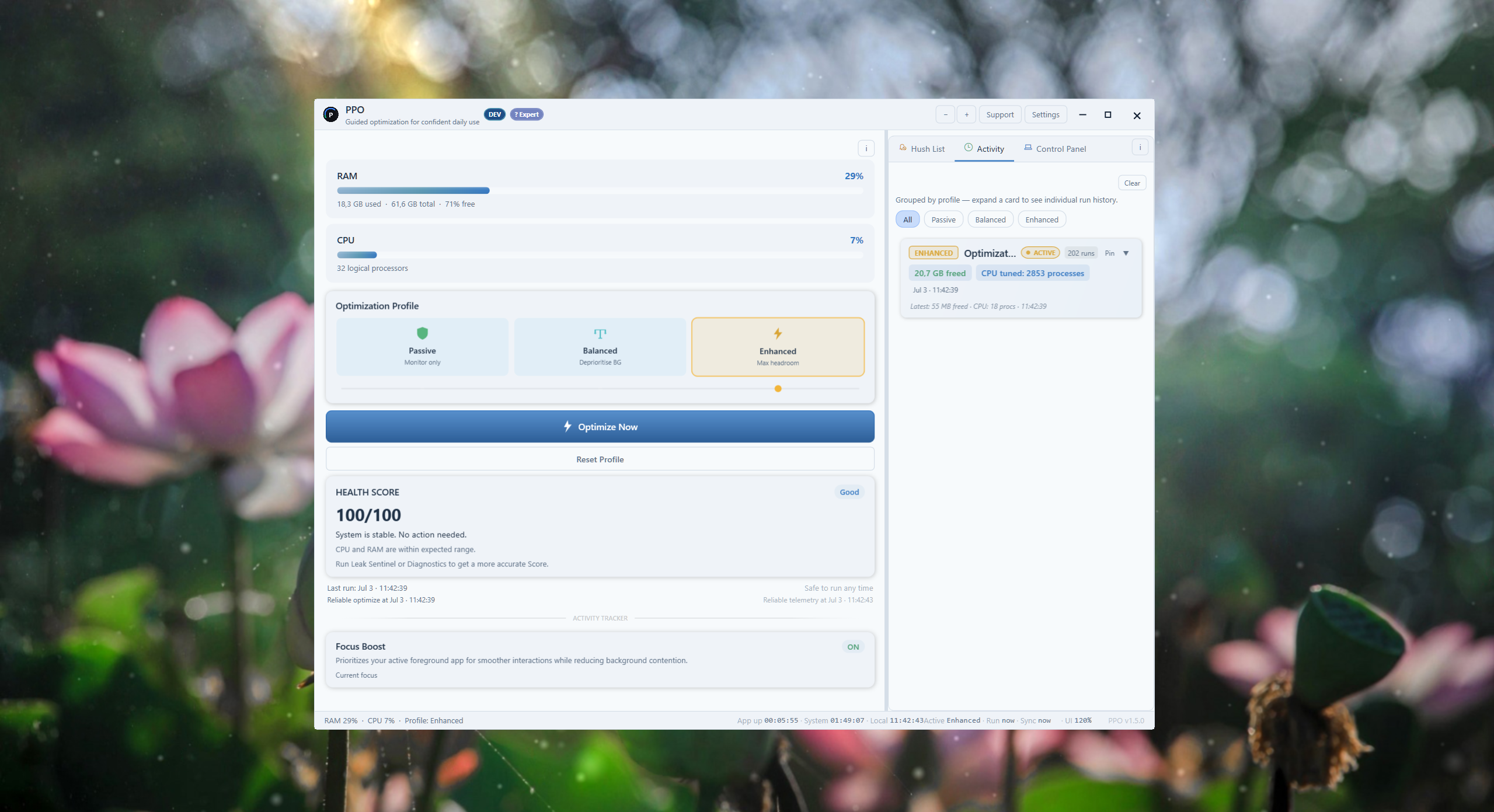
App Screenshots See PPO in action

Gallery captures show Default and Light. The new Graphite theme is available in PPO v1.5.1.
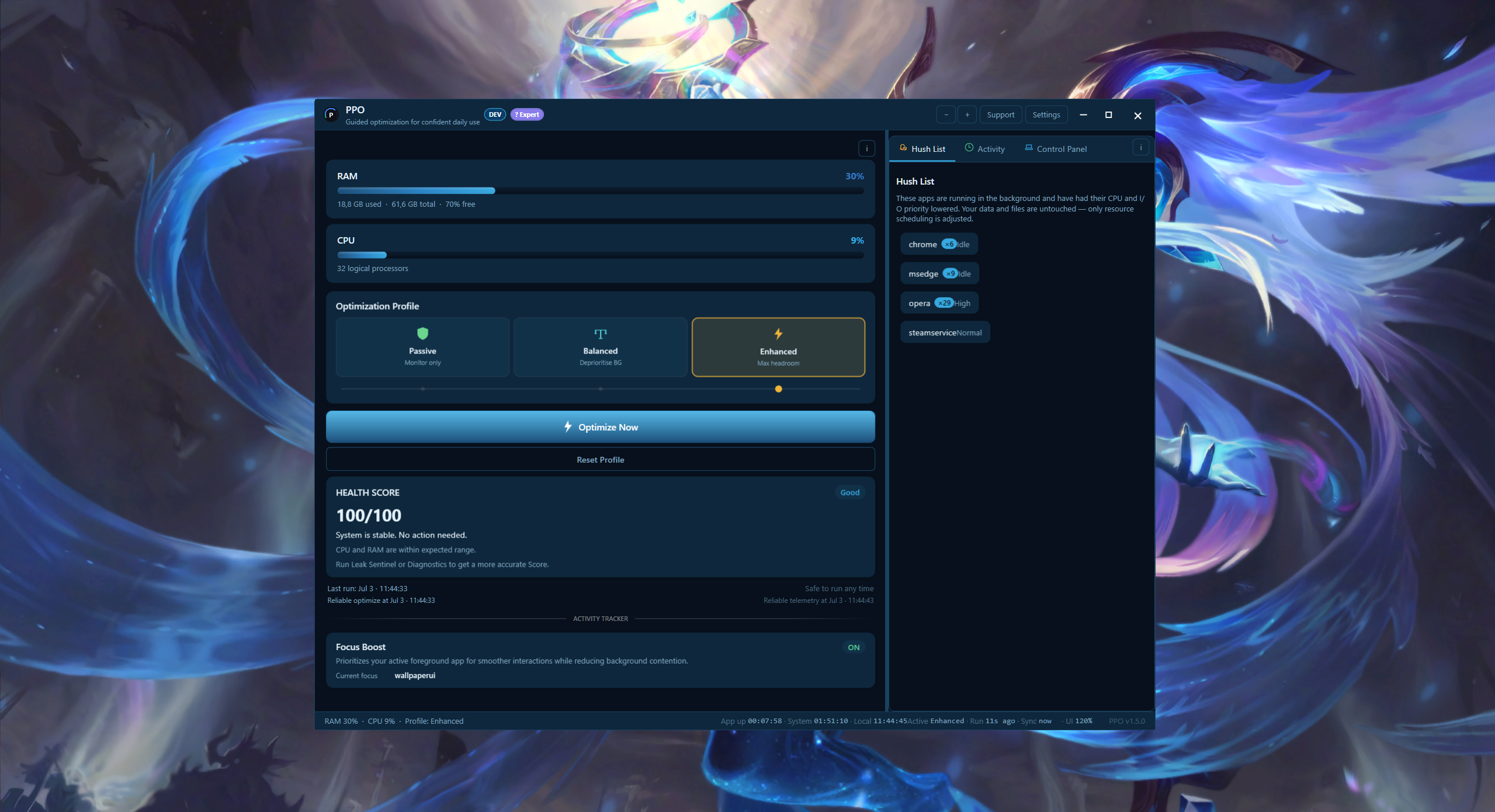
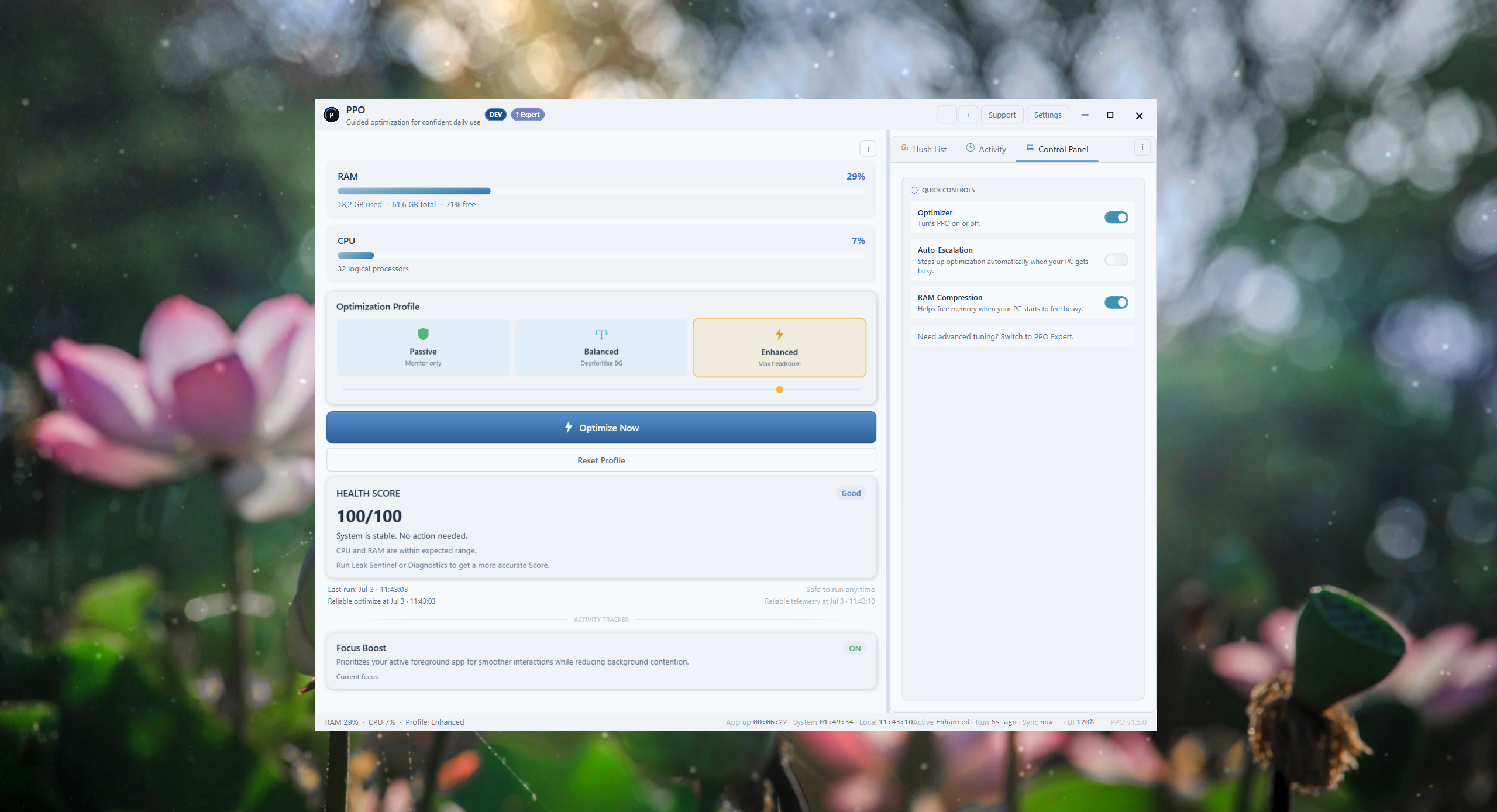
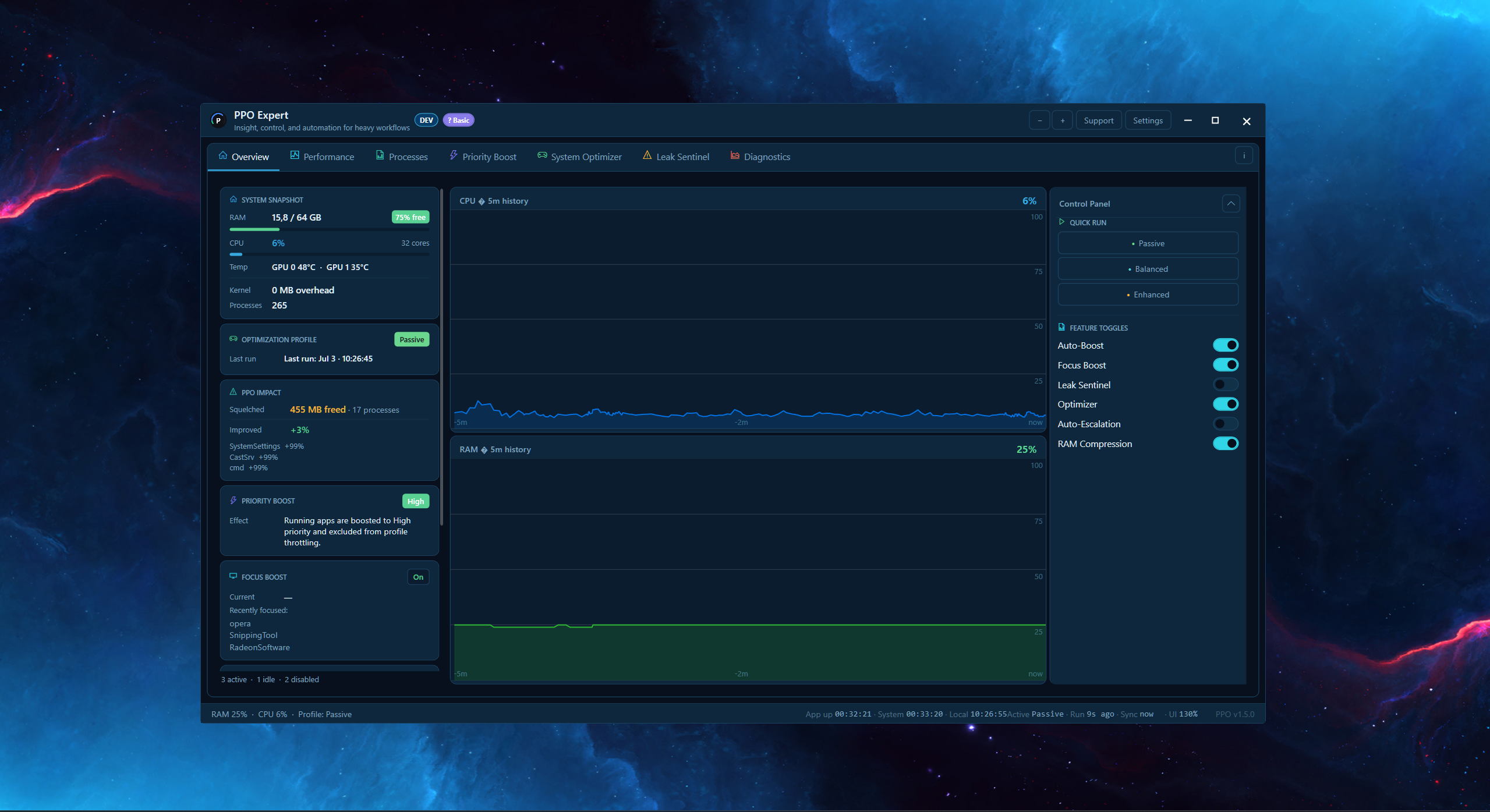
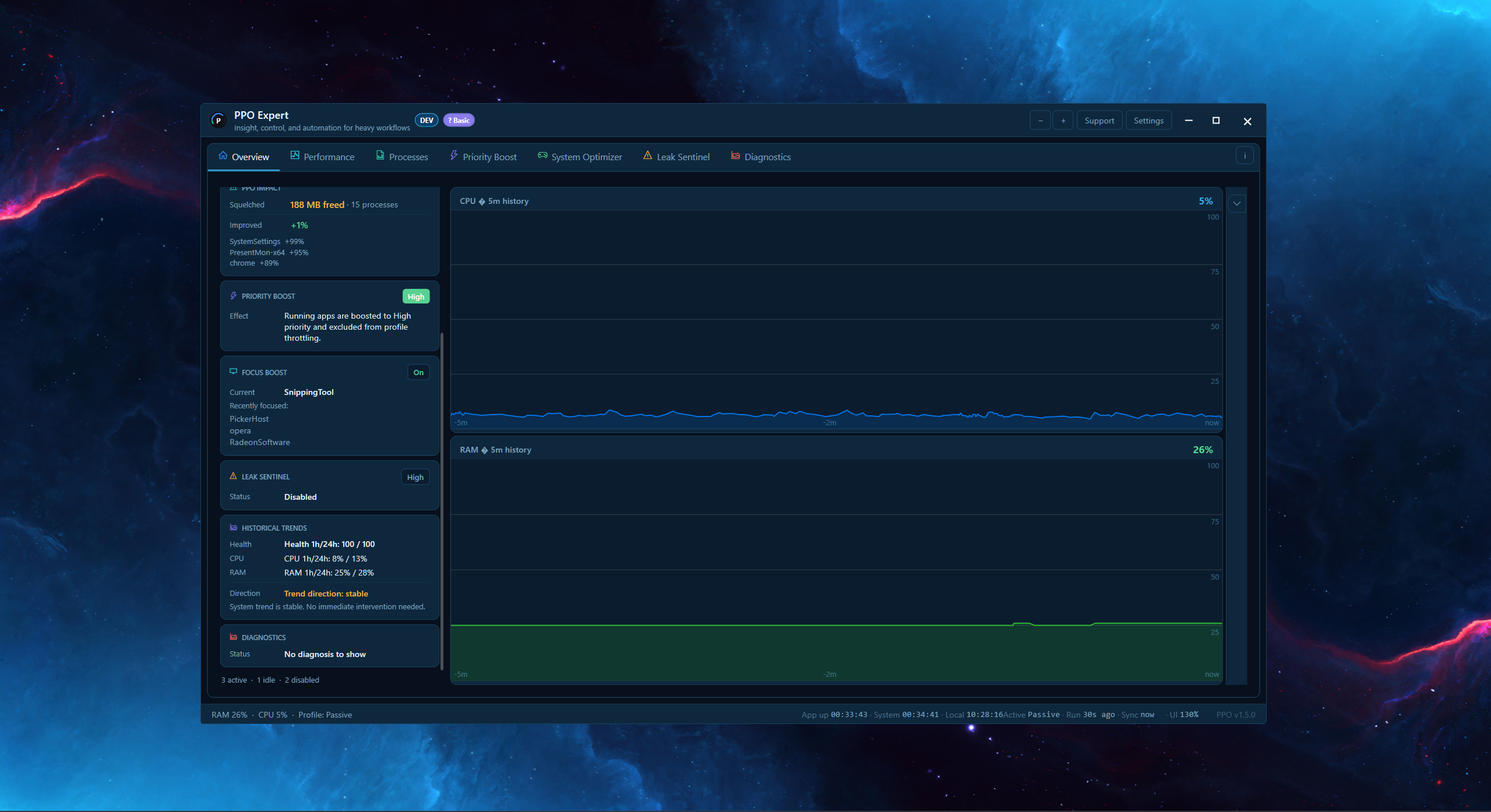
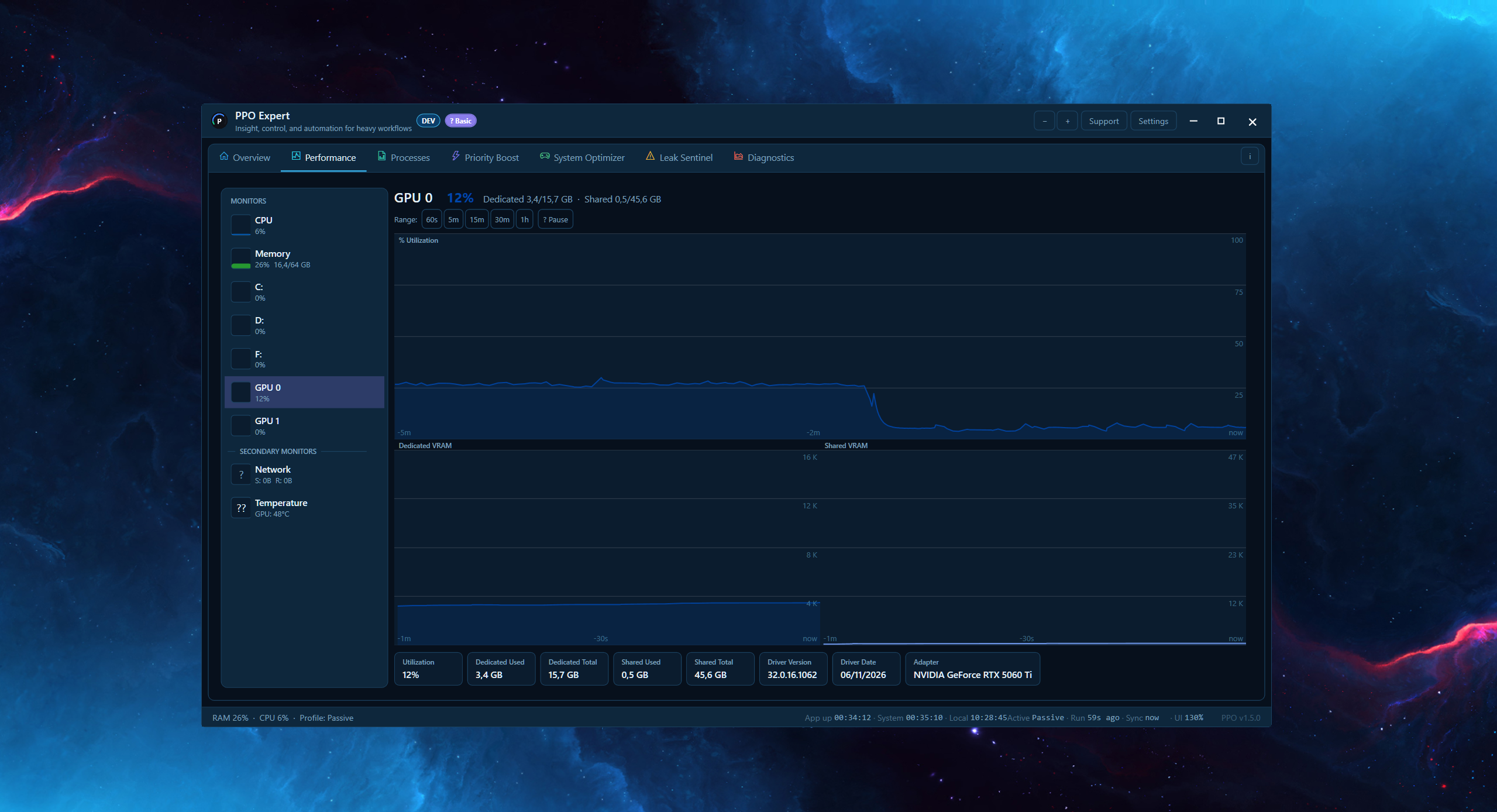
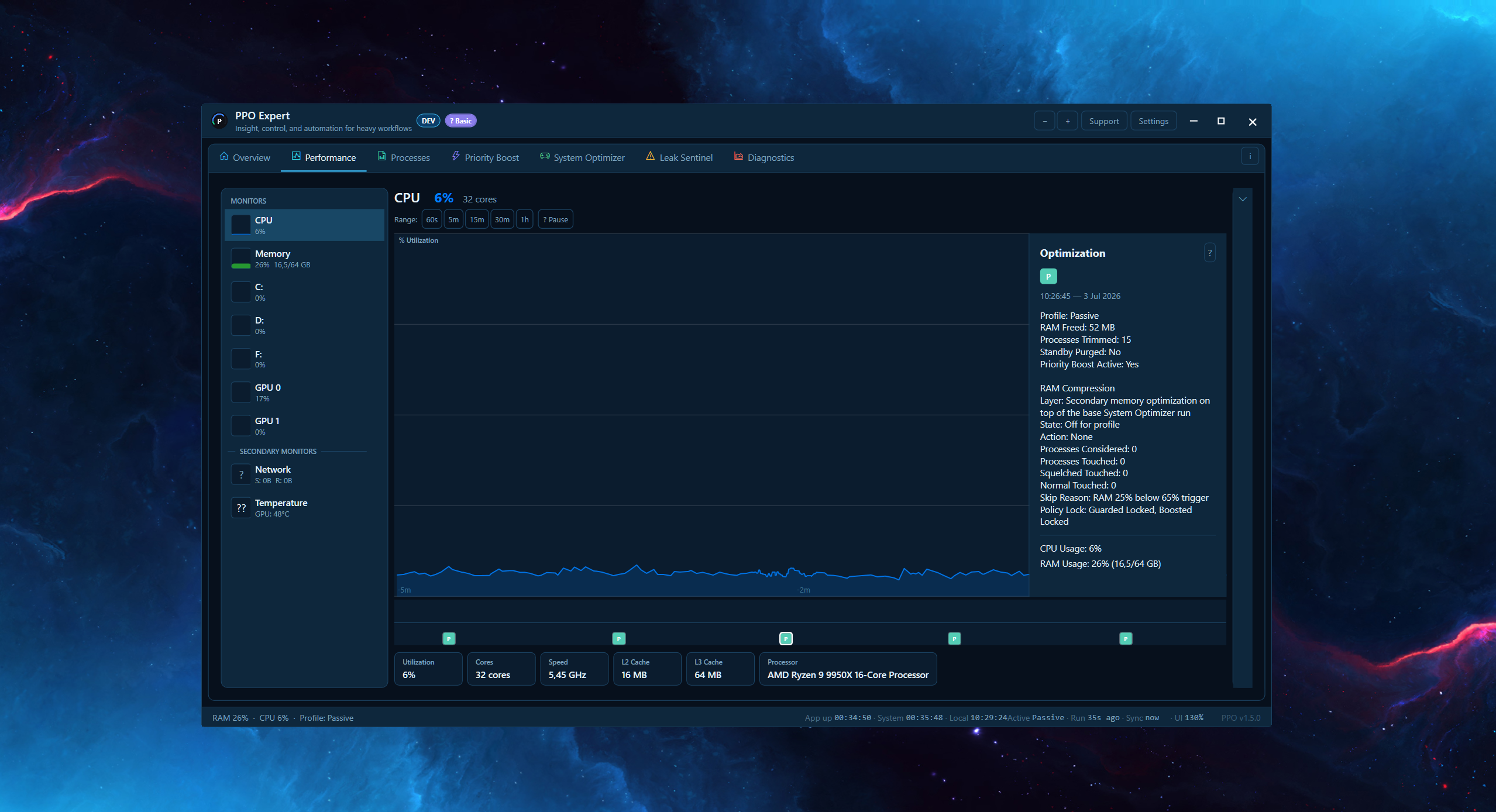
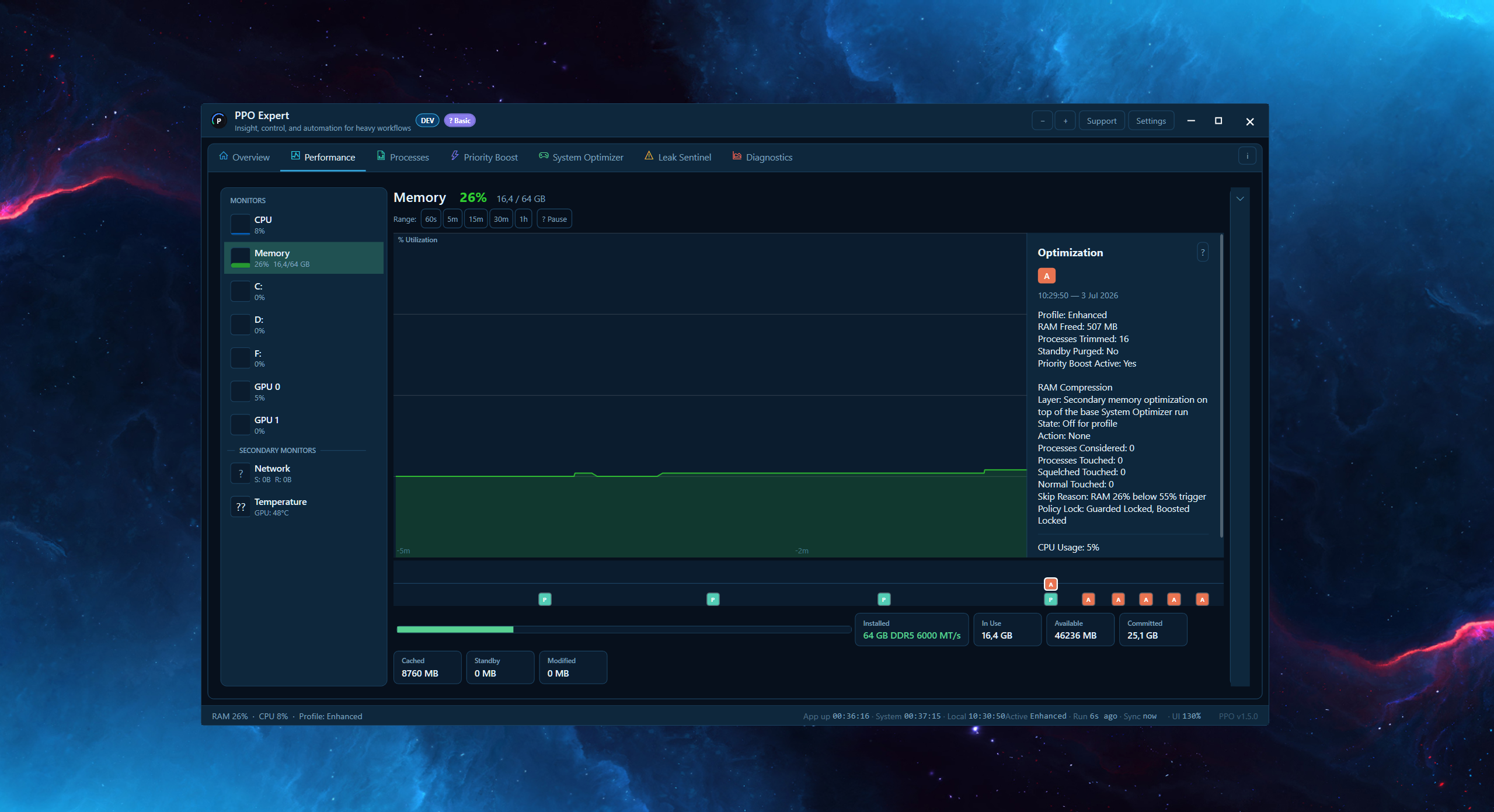
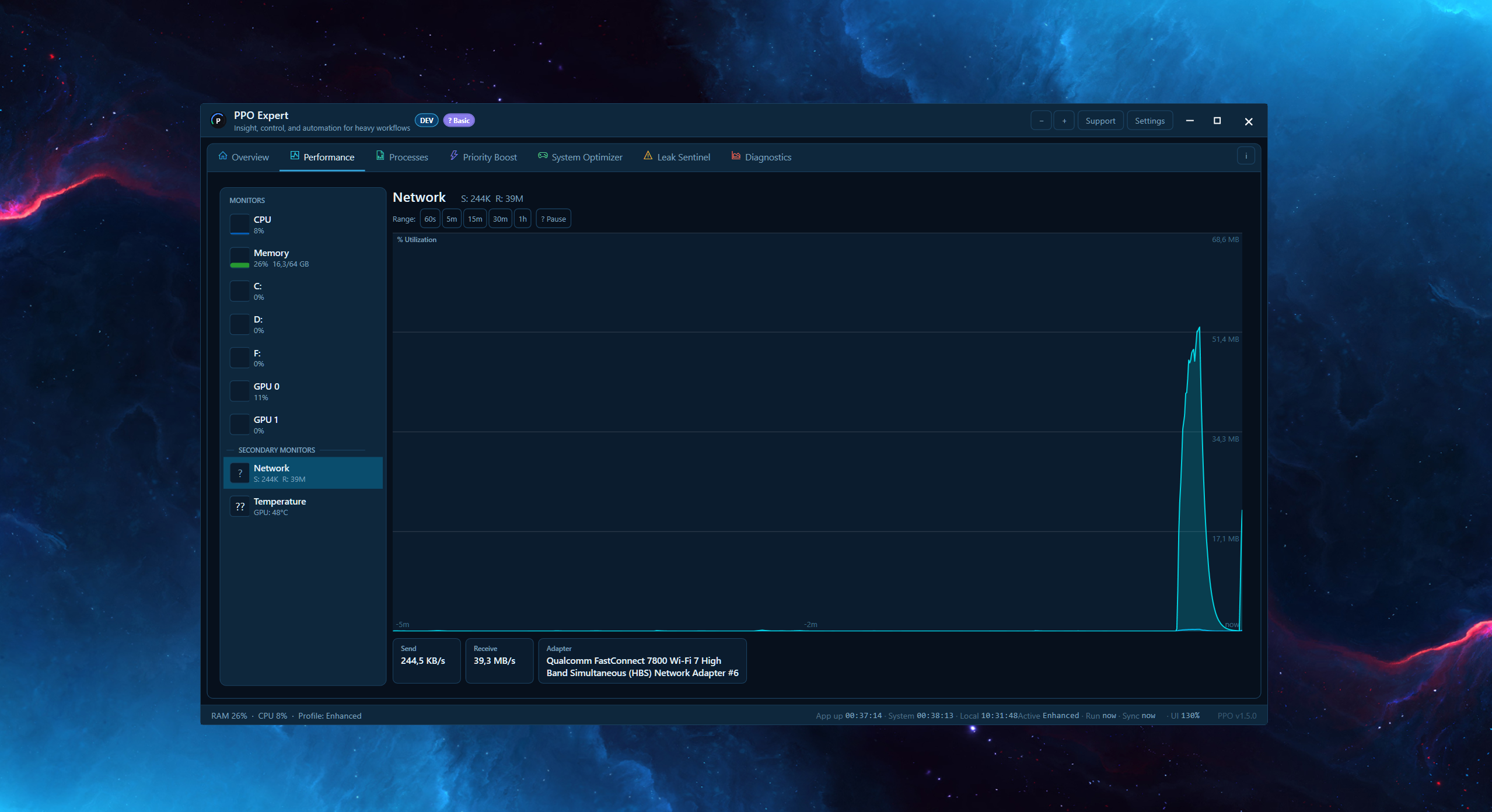
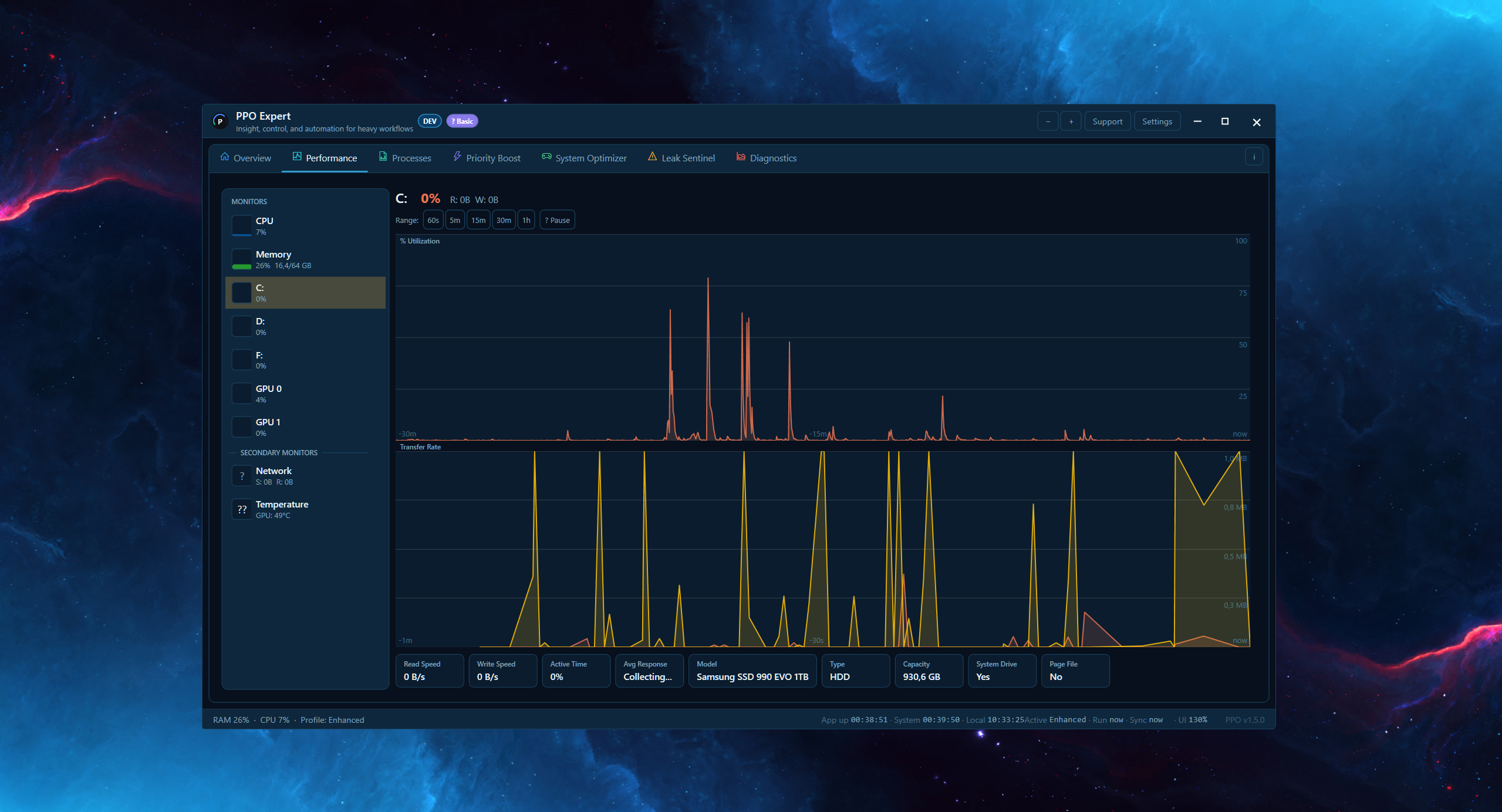
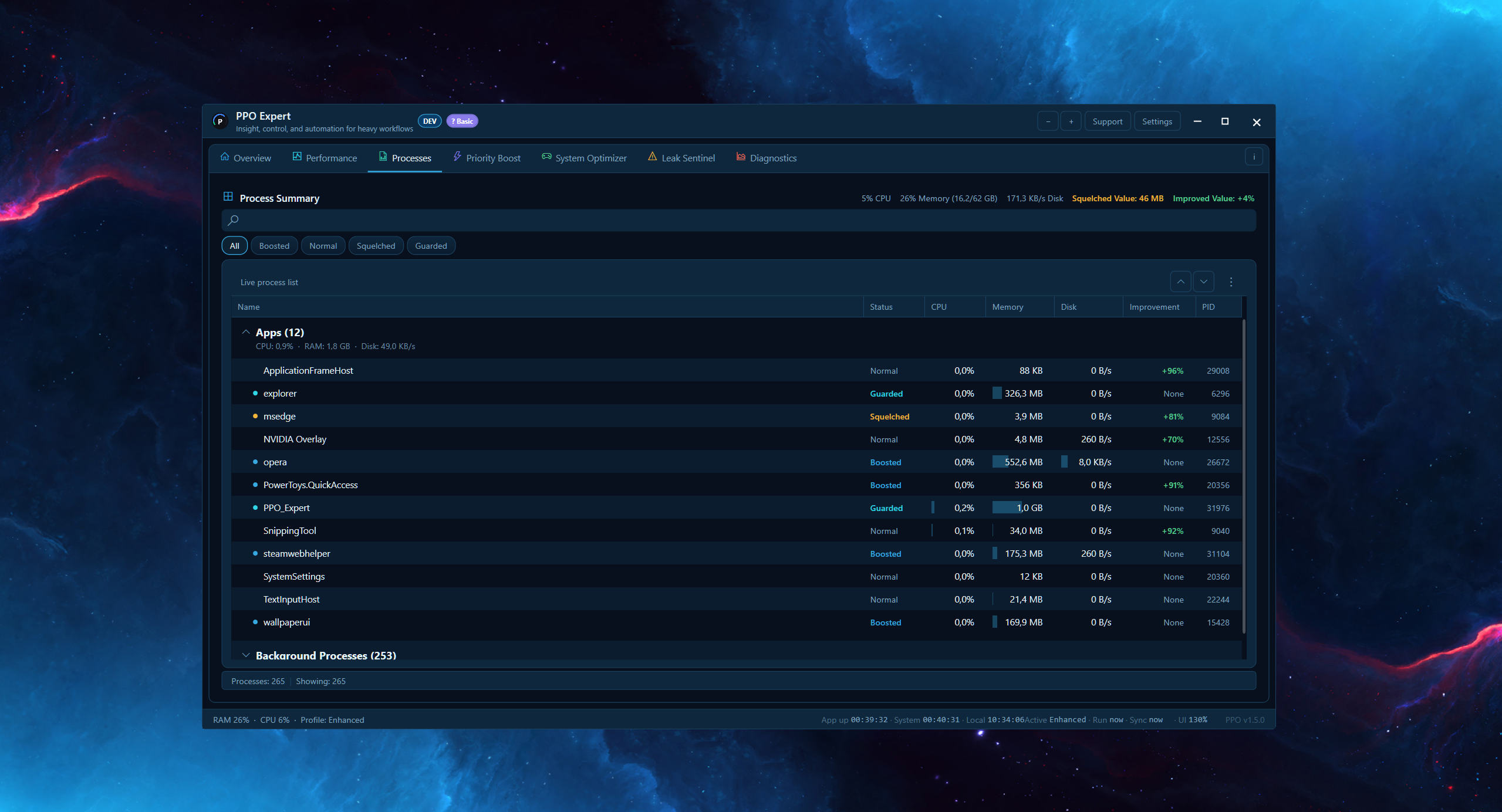
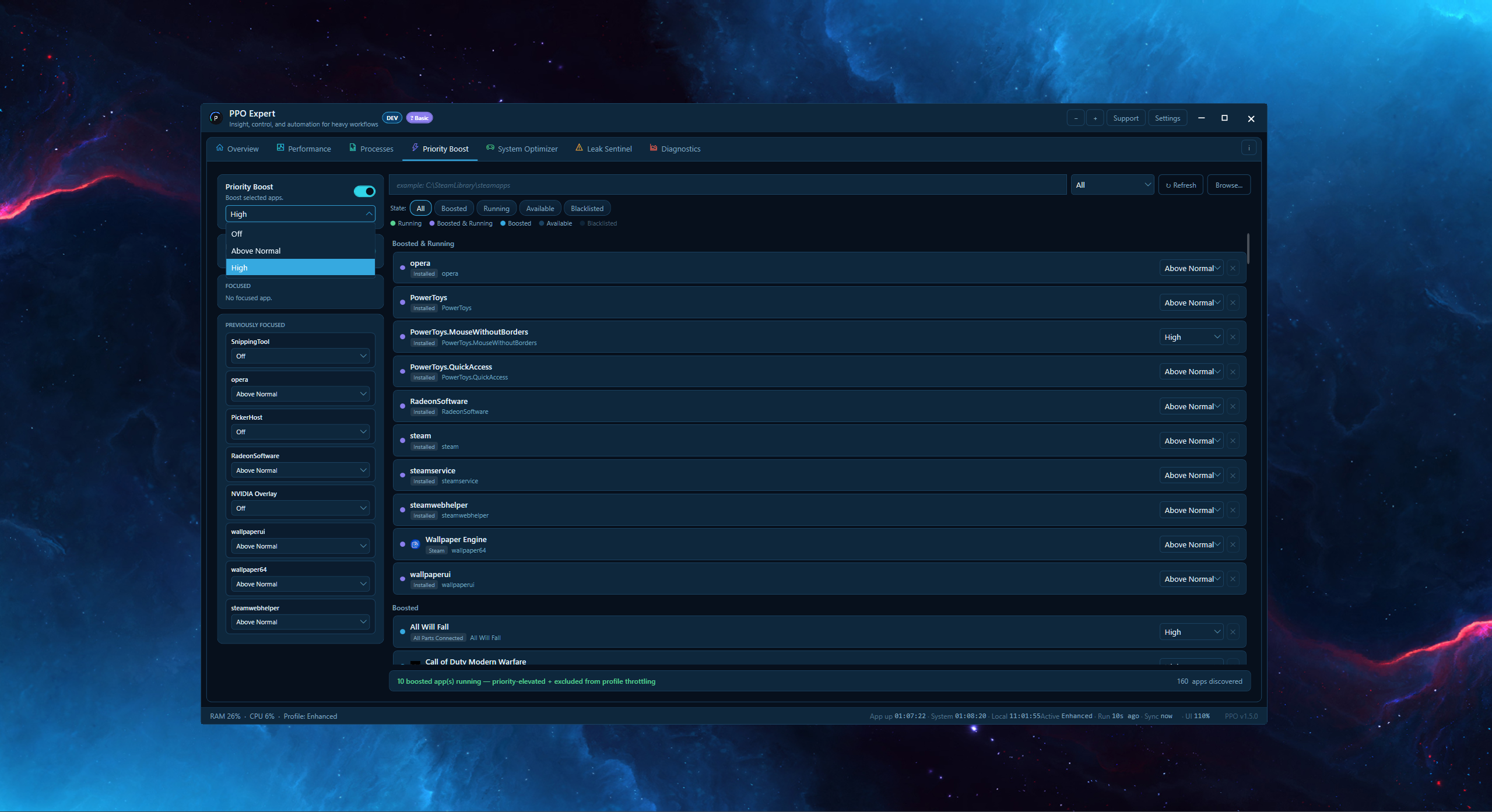
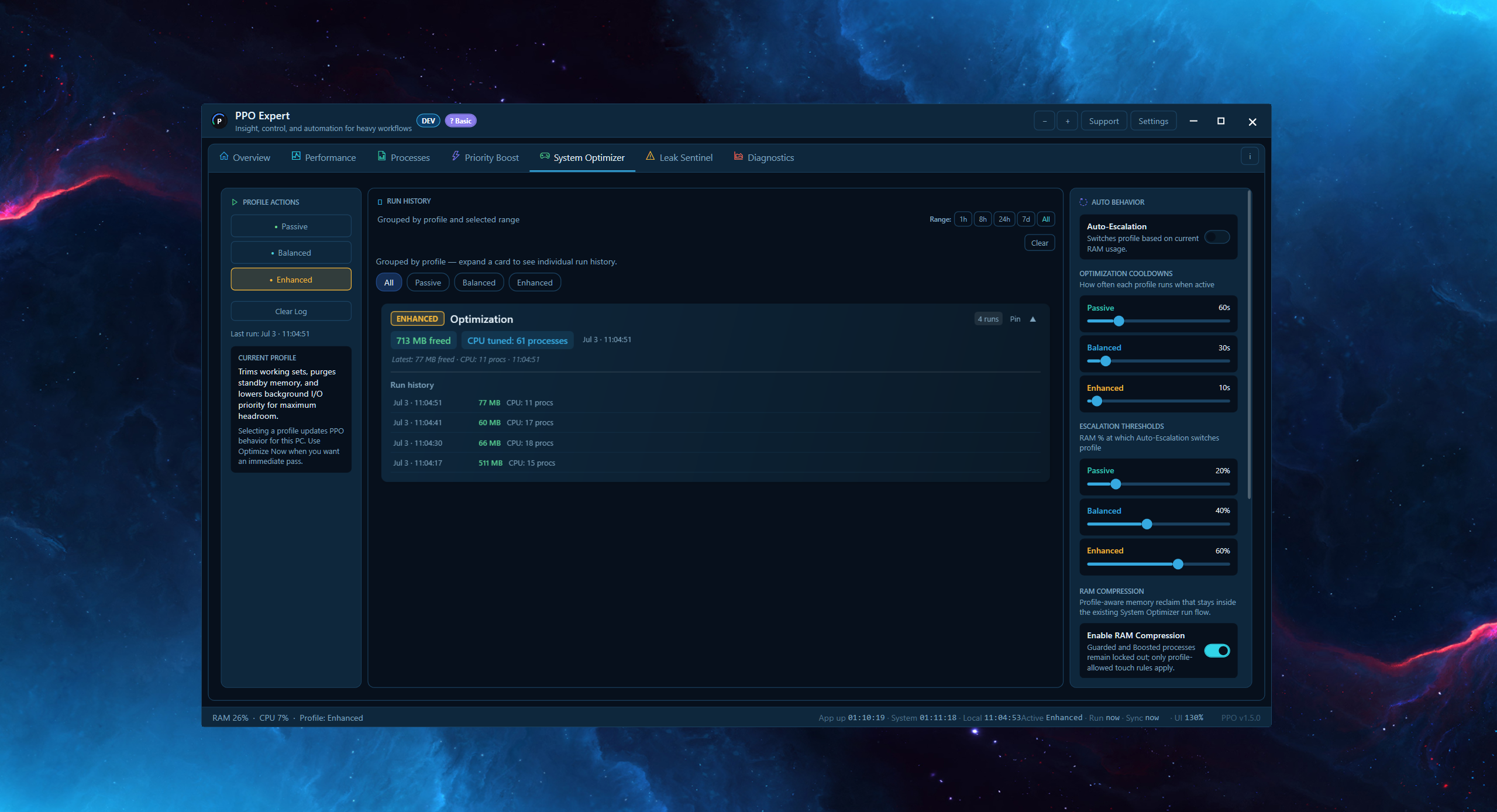
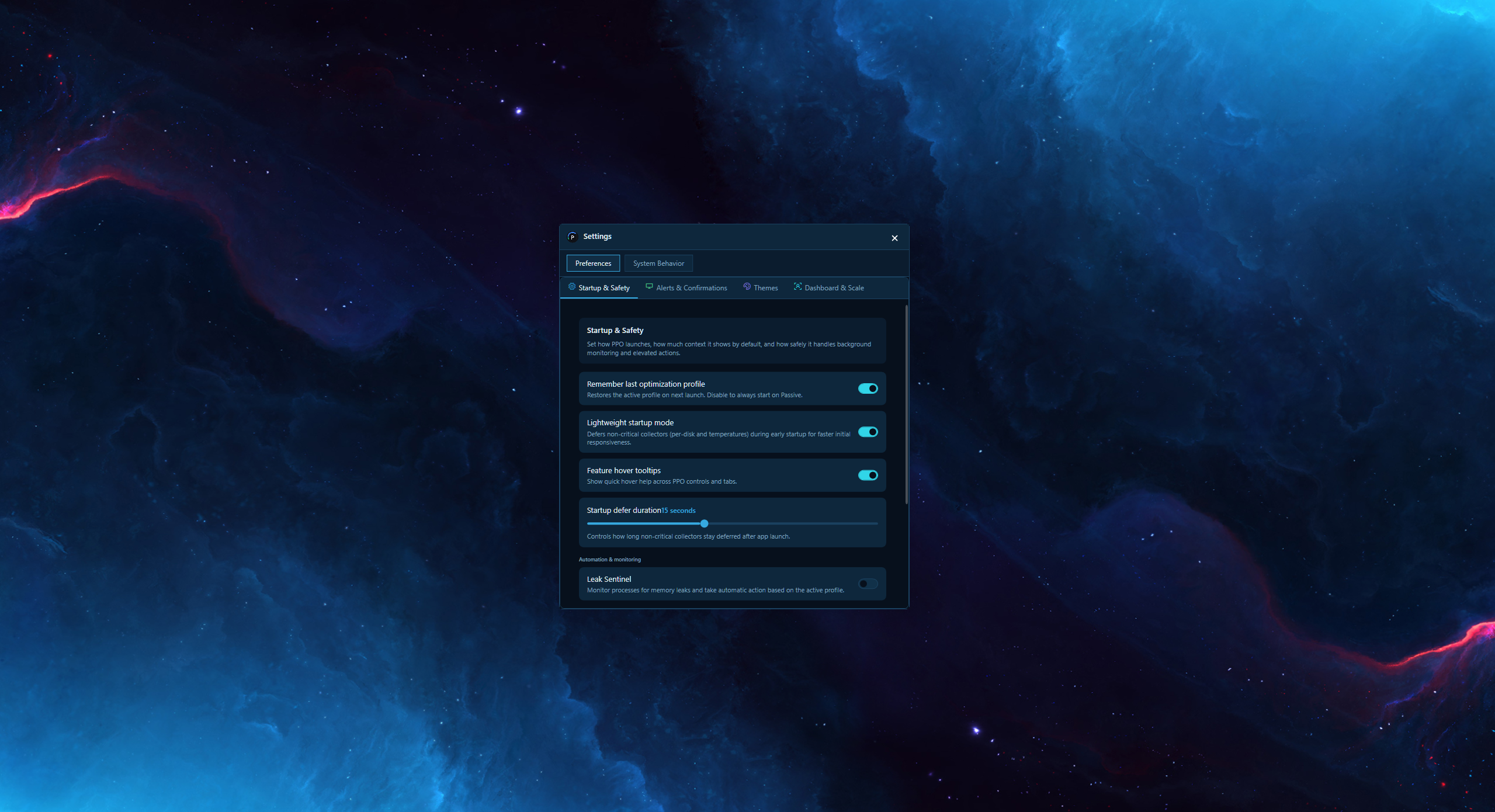
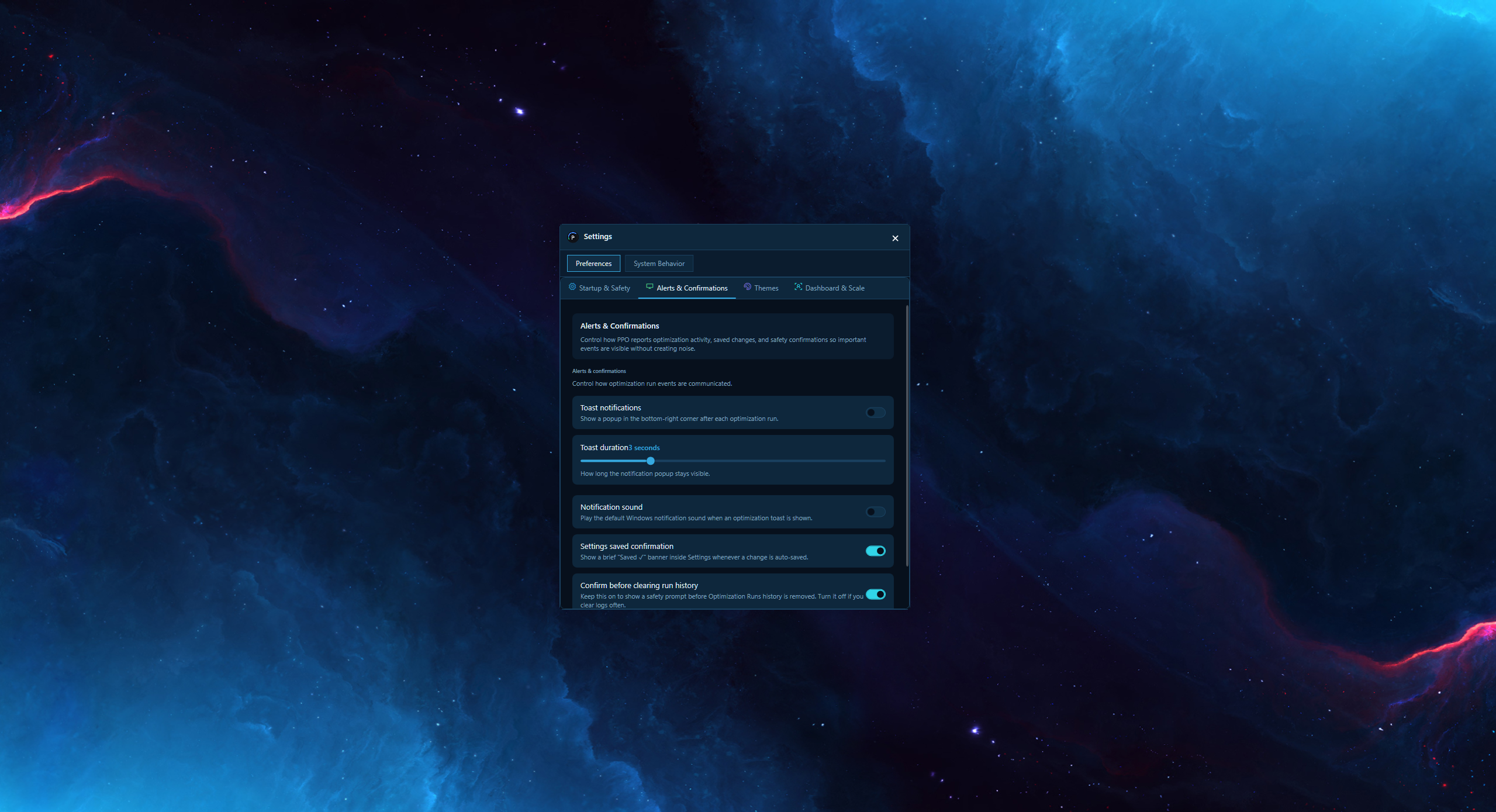
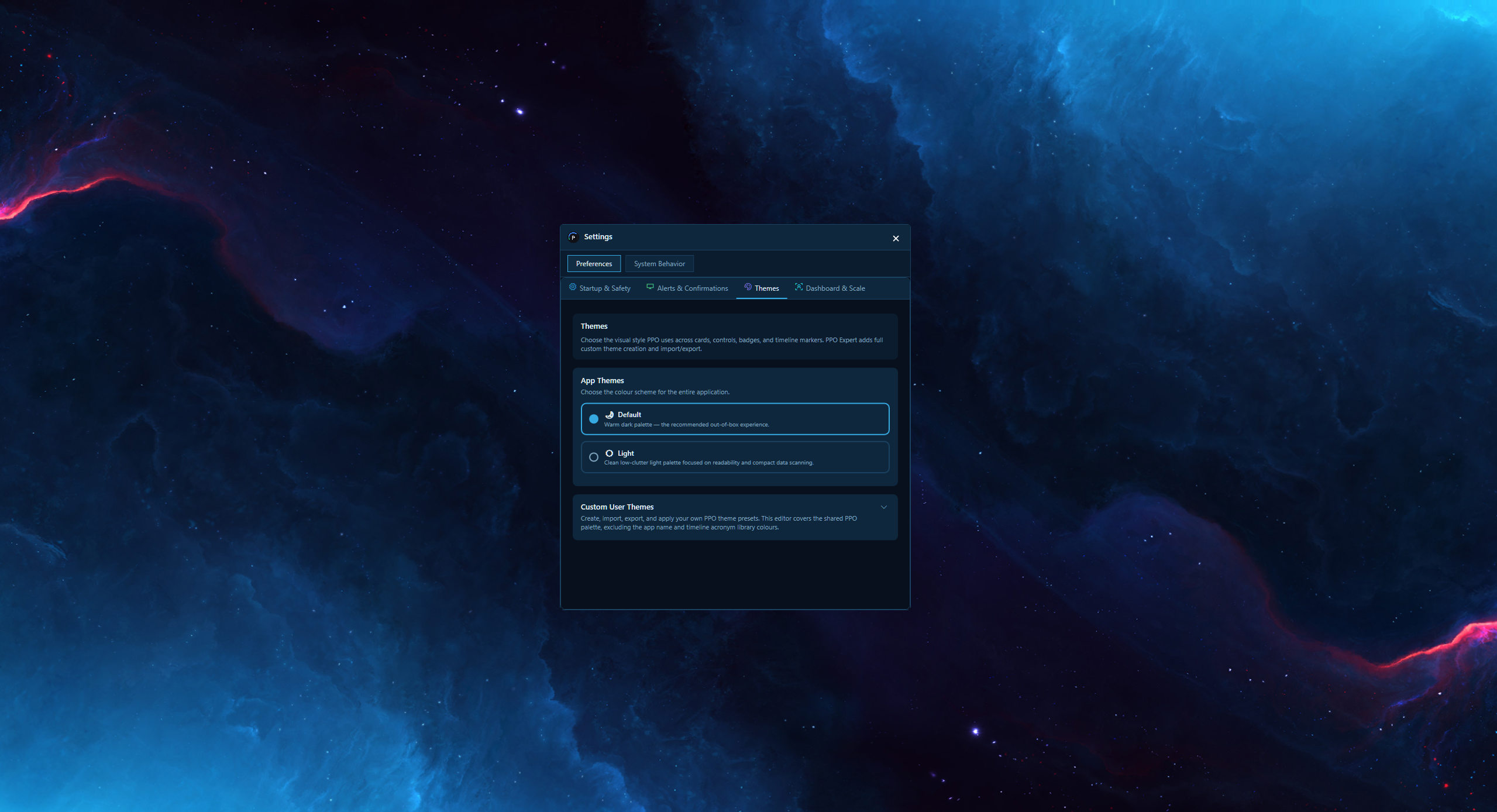
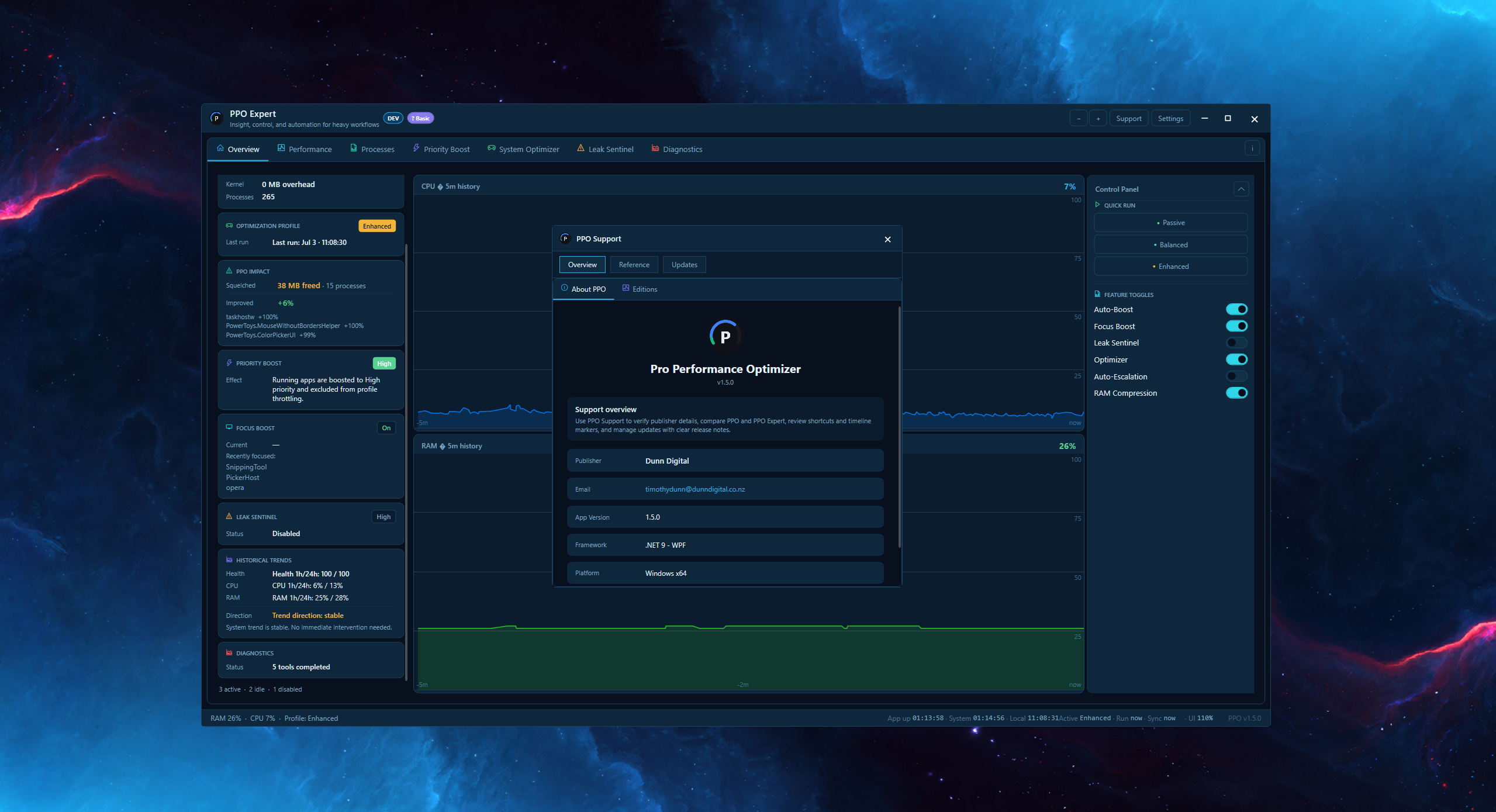
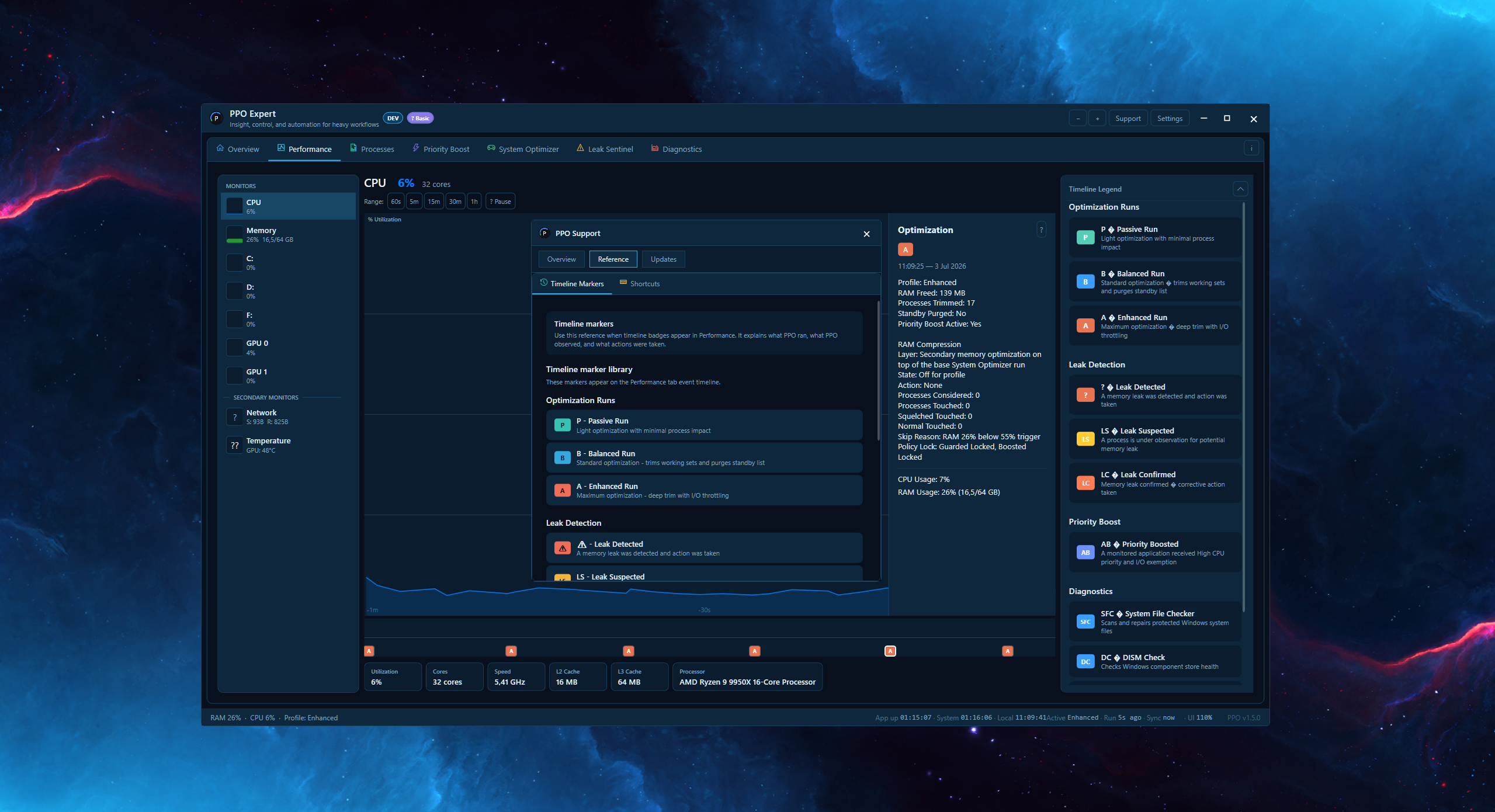
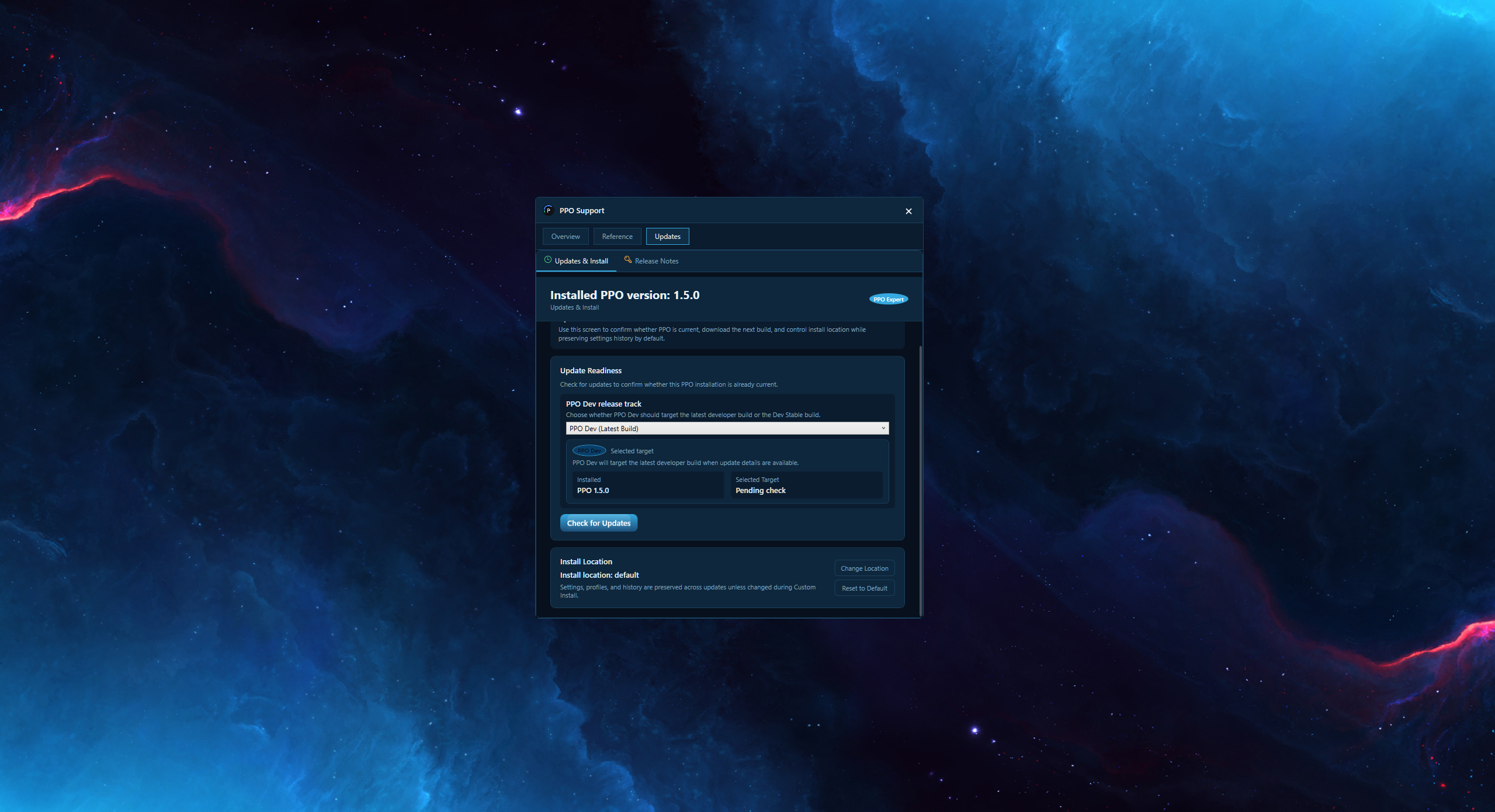
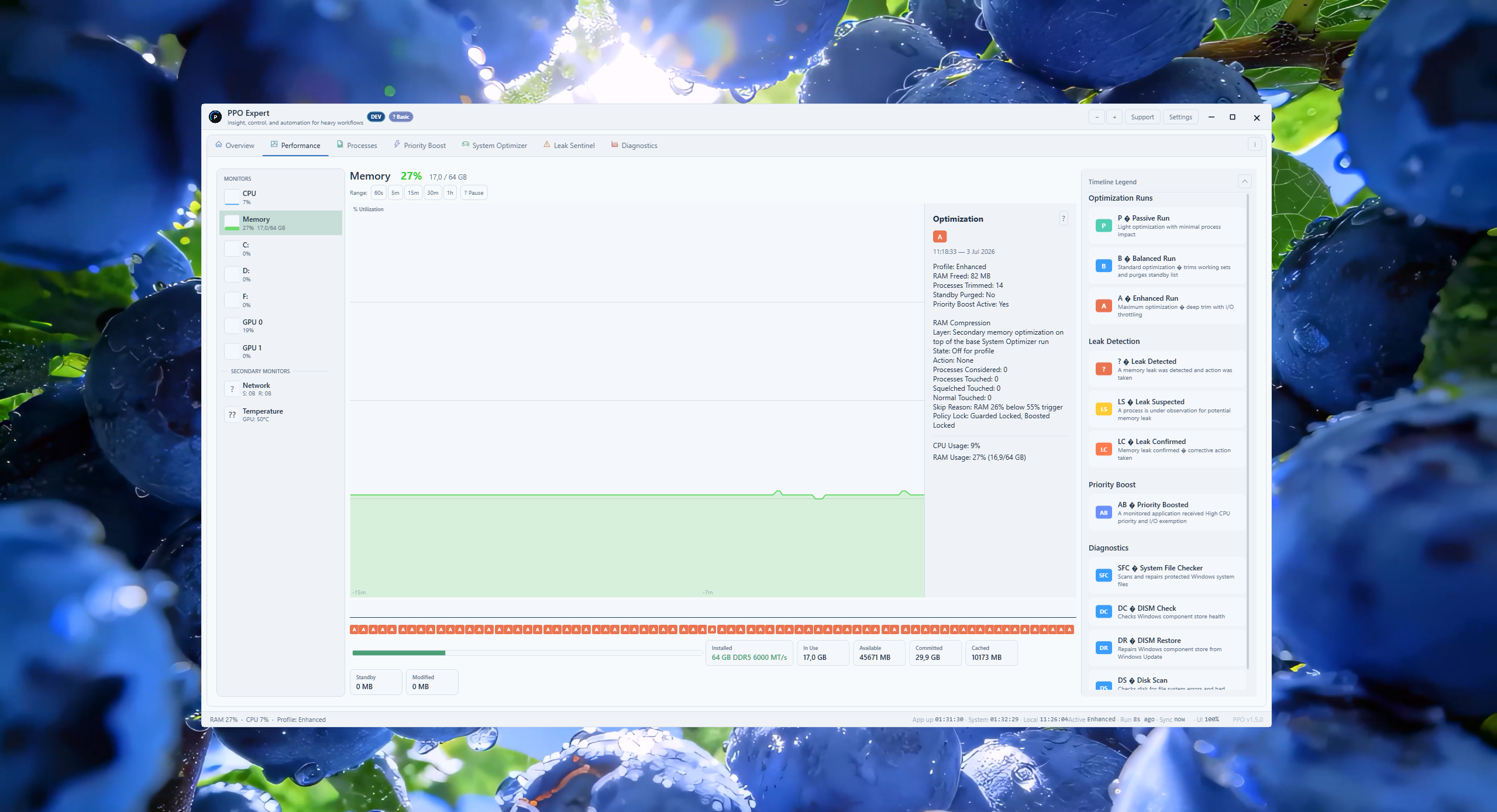
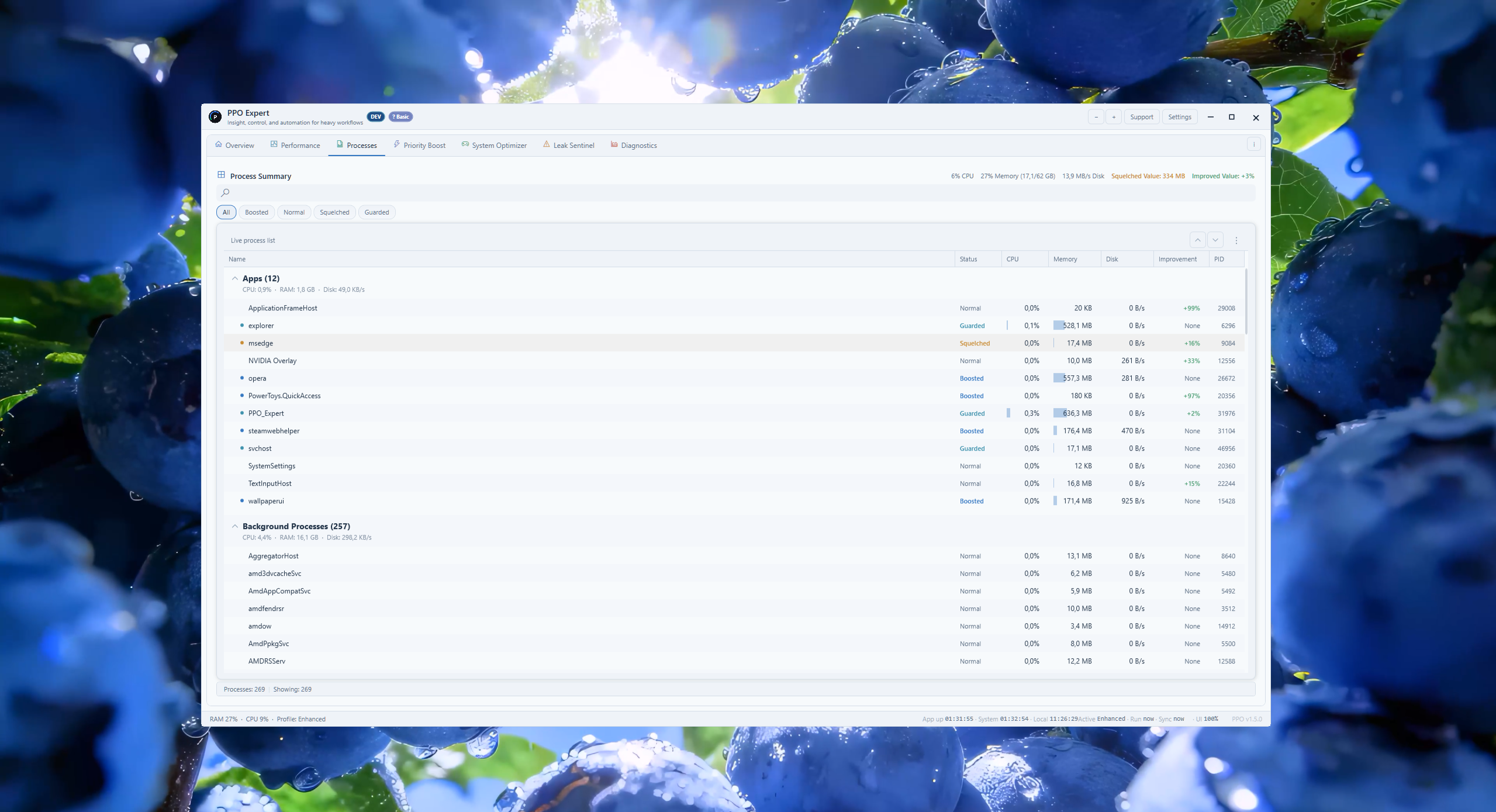
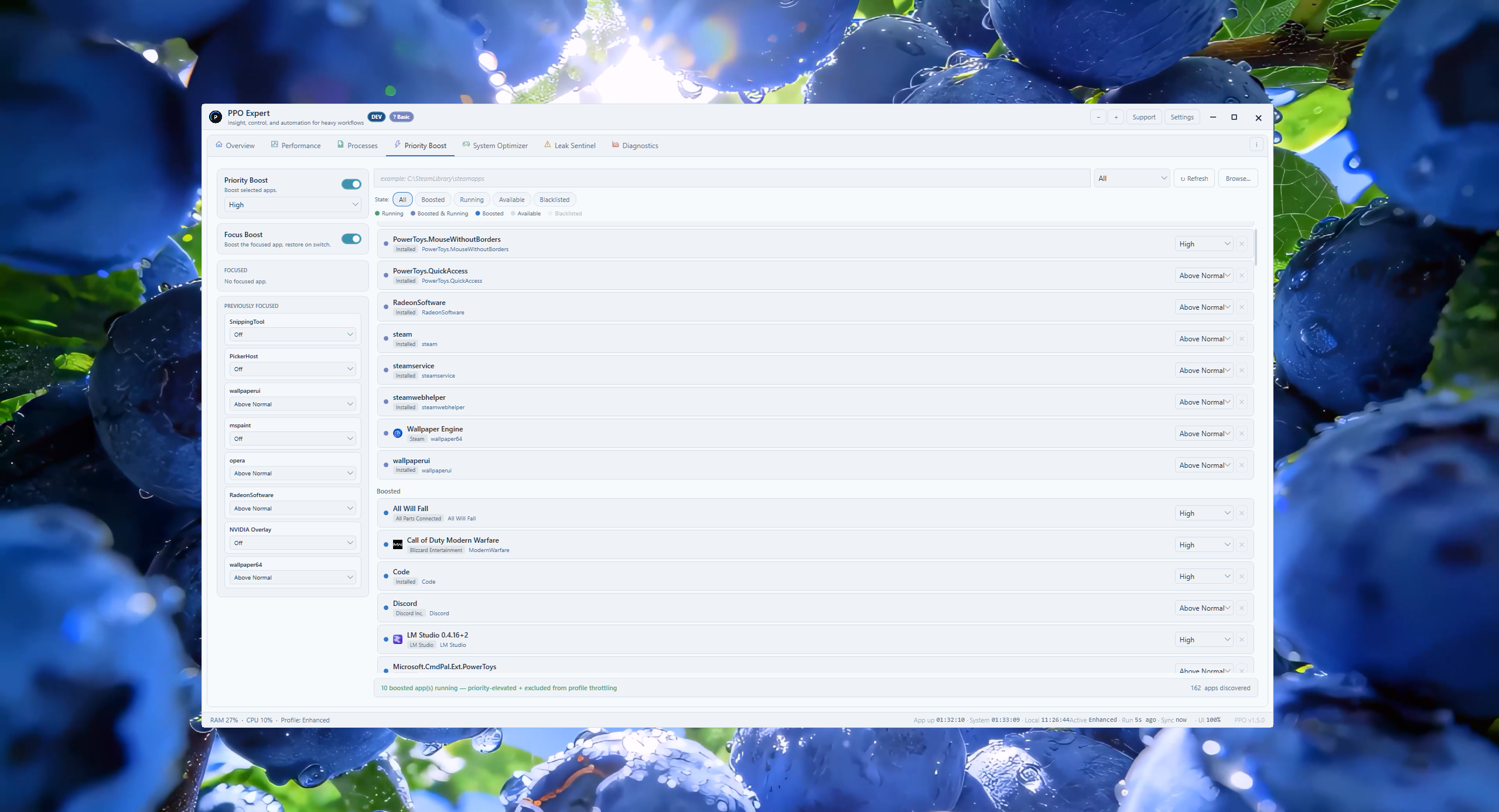
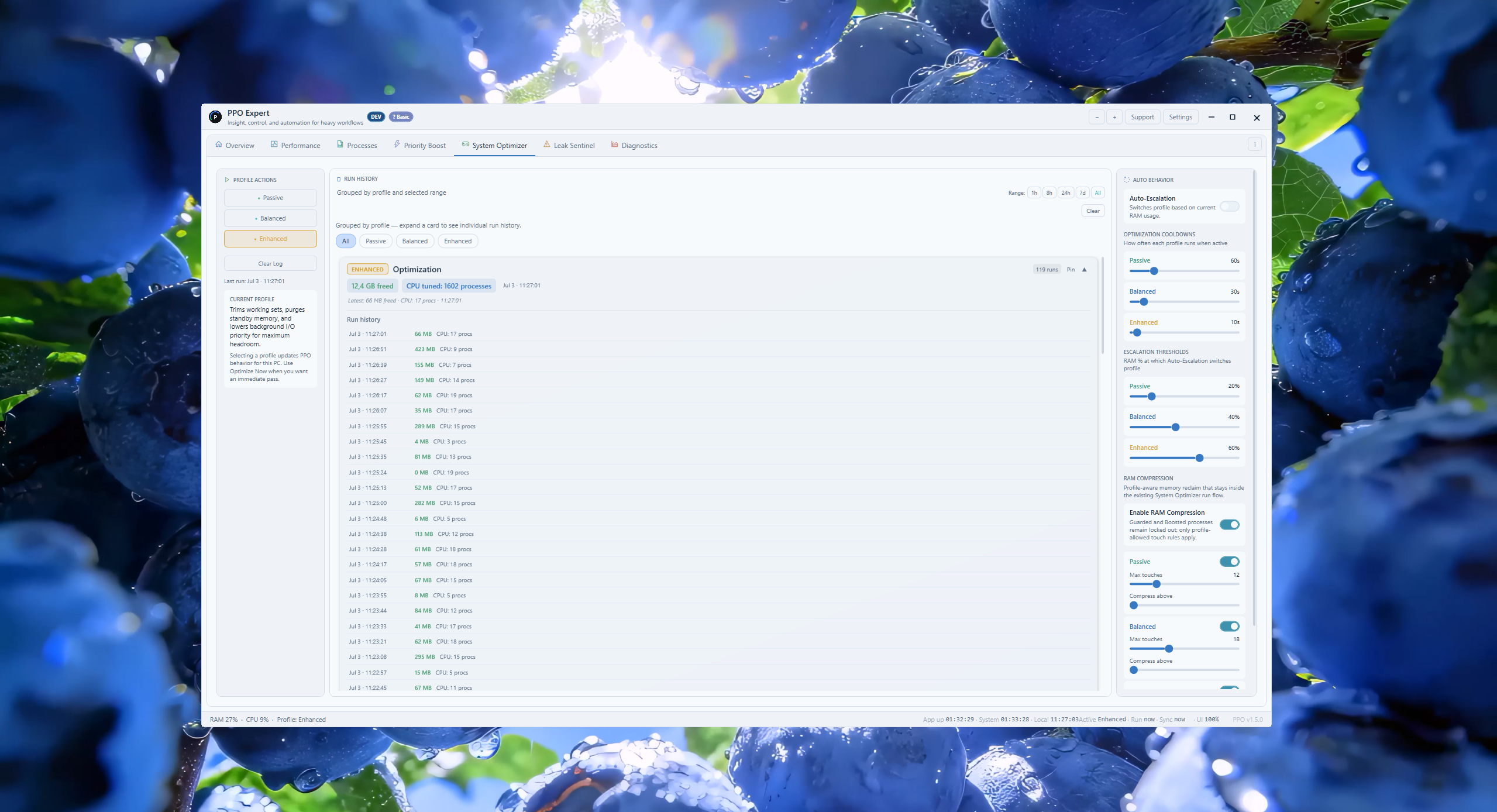
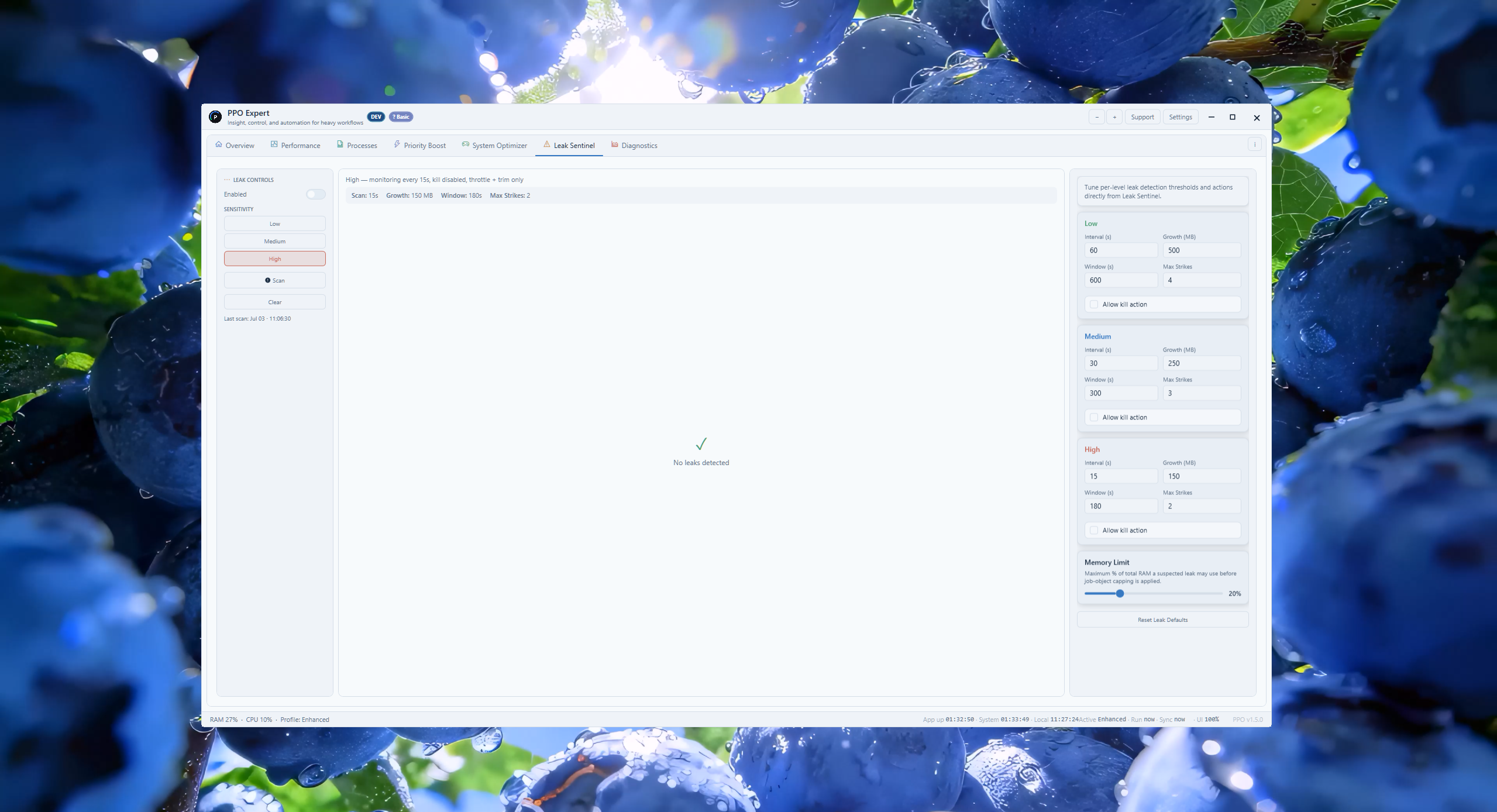
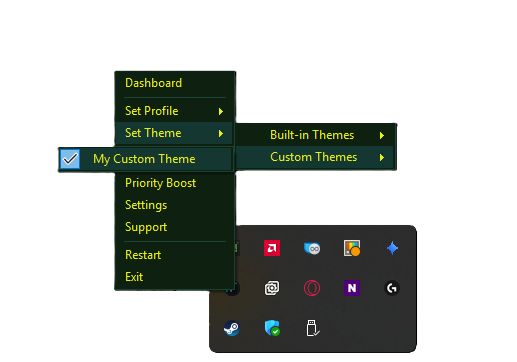
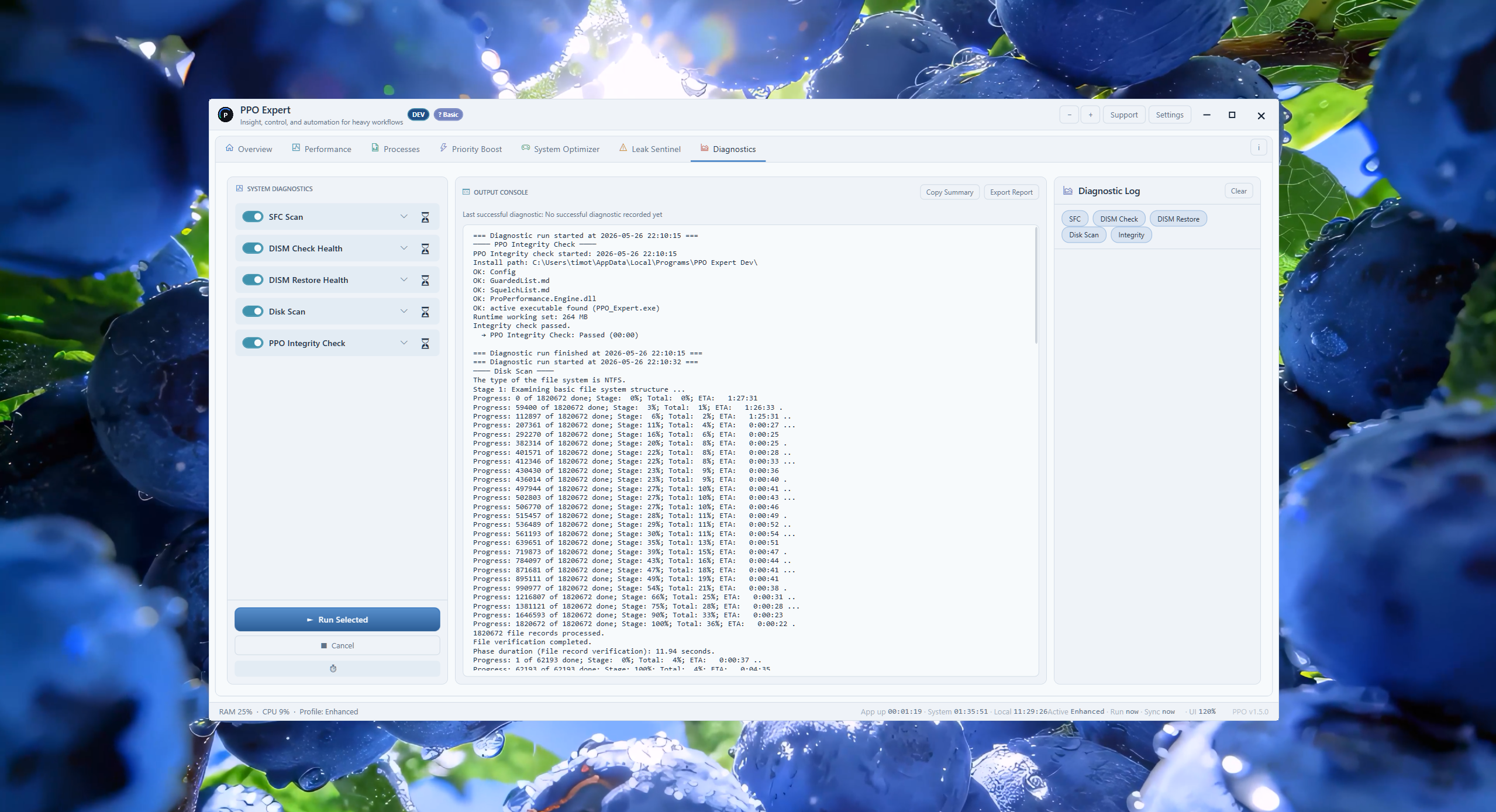
PPO dashboard with the Hush List quieting background apps (default theme) PPO Activity panel showing optimisation run history (default theme) PPO Quick Control Panel with core toggles (default theme) PPO dashboard with the Hush List quieting background apps (light theme) PPO Activity panel showing optimisation run history (light theme) PPO Quick Control Panel with core toggles (light theme) PPO Expert Overview with live system snapshot and history graphs (default theme) PPO Expert Overview Control Panel with quick-run and feature toggles (default theme) PPO Expert Overview historical trends and diagnostics summary (default theme) PPO Expert Performance tab GPU monitor (default theme) PPO Expert Performance tab CPU monitor with optimisation run details (default theme) PPO Expert Performance tab Memory monitor (default theme) PPO Expert Performance tab Network monitor (default theme) PPO Expert Performance tab Disk monitor (default theme) PPO Expert Processes tab live process list (default theme) PPO Expert Priority Boost tab (default theme) PPO Expert System Optimizer tab (default theme) PPO Expert Leak Sentinel tab (default theme) PPO Expert Diagnostics tab (default theme) PPO Expert Settings, Startup and Safety (default theme) PPO Expert Settings, Themes and Appearance (default theme) PPO Expert Settings, Custom Theme Creator (default theme) PPO Expert Support, About PPO (default theme) PPO Expert Support, Timeline Markers legend (default theme) PPO Expert Support, Updates and Version History (default theme) PPO Expert Overview with live system snapshot and history graphs (light theme) PPO Expert Overview Control Panel with quick-run and feature toggles (light theme) PPO Expert Overview historical trends and diagnostics summary (light theme) PPO Expert Performance tab GPU monitor (light theme) PPO Expert Performance tab CPU monitor with optimisation run details (light theme) PPO Expert Performance tab Memory monitor (light theme) PPO Expert Performance tab Network monitor (light theme) PPO Expert system tray quick menu with custom theme

Paid Edition

PPO Expert

Choose PPO Expert and request a once-off Buy quote. Rent options remain visible but disabled while setup is being finalized.

Sales paused

Temporarily unavailable

Live pricing temporarily unavailable.

Selected PPO Expert License

PPO Expert Lifetime License

One payment for long-term PPO Expert use on your authorized install.

Sales paused

Temporarily unavailable

All prices are NZD. GST is not charged - Dunn Digital is not currently GST registered.

PPO Expert sales are temporarily paused. Existing customers can still validate their key and download below.

Existing PPO Expert customers can still validate their key and download the installer below.

Terms of Use | Privacy

Already purchased?

Enter your license key to validate your PPO Expert activation path.

Forgot your key? Request a resend

Free Edition

PPO

Free One-click cleanup for everyday users

No key required
  • Live CPU and RAM health with one-click optimization
  • Simple Hush process control and clear recent run history
  • Passive, Balanced, and Enhanced profiles for everyday Windows sessions
  • Default, Light, and Graphite built-in themes

PPO Details

Expand what you need

Quick Install Flow

PPO

  1. Download the PPO installer.
  2. Run setup and choose your install location if you want something other than the default.
  3. Launch PPO and start using it immediately.

PPO Expert

  1. Choose PPO Expert Buy on this page, open the basket panel, and request your quote.
  2. After purchase, validate your key to unlock the Expert installer.
  3. Install Expert edition, enter your key and purchase Gmail when prompted, then launch PPO Expert.

Windows SmartScreen notice

When you run the installer, Windows may show a blue dialog that says “Windows protected your PC” and “Microsoft Defender SmartScreen prevented an unrecognised app from starting.” This happens because PPO is independently published software and does not yet carry a commercial code-signing certificate — it is not a sign that anything is wrong with the file.

To get through it:

  1. Click More info (the link in the middle of the blue dialog).
  2. A Run anyway button will appear at the bottom — click it to start the installer.
Upgrade and update details
  1. Use Info > Version Manager inside PPO if you want the in-app update path with download progress, Install Update, and Custom Install.
  2. PPO also supports the same in-app update flow, but it only checks and downloads the newest PPO installer so the free and Expert editions stay on separate update lines.
  3. Custom Install lets you keep or reset settings, profiles, optimization history, trends, leak history, diagnostics history, PPO Expert auth state, and install location before the updater starts.
  4. If you prefer the website installer path, download the newest PPO or Expert installer from this page and run it over the same edition when supported.
  5. Cross-edition switches may still require uninstalling the previous edition first.

Version History: v1.5.1

  • Graphite adds a grayscale-heavy dark palette with crisp surface separation and restrained accents.
  • The new theme is available in Settings and the tray for both PPO and PPO Expert.
  • Theme selection persists across restarts, including when Settings uses Manual Save mode.
  • Status, profile, graph, warning, and focus colors remain distinct for readability.

Built-in themes

  • Default: PPO's deep-space palette and recommended out-of-box experience.
  • Light: A low-clutter palette for bright environments and compact data scanning.
  • Graphite: Neutral dark grey surfaces with subdued color and strong contrast.
  • PPO Expert can also use Graphite as the base palette for a custom theme.

Stable release availability

  • PPO and PPO Expert installers are both published for stable v1.5.1.
  • Existing installations can update through Info > Version Manager.
  • New installs can use the current website installers without installing an older release first.
  • PPO remains free, while PPO Expert retains its licensed advanced controls and custom-theme tools.
Why PPO

Runs on your PC

PPO is designed for direct local use, with straightforward cleanup and optimization actions you can understand.

PPO stays approachable

The free edition covers the core cleanup flow so everyday users can get value without license friction.

Expert adds depth

The paid edition exists for users who want more control, more tuning options, and a more advanced workflow.

System Requirements
  • OS: Windows 10 or Windows 11 (64-bit)
  • CPU: Intel Core i3 or equivalent (any modern processor)
  • RAM: 4 GB minimum
  • Storage: 500 MB free disk space
  • Other: Internet connection required for activation and updates

PPO runs entirely on your local machine. No data is sent to the cloud during optimization.